AI CBT Question Sets
Generate a set of exam questions with AI for a subject, class and topic, then review each one and add the good ones to your question bank.
What it does, and for whom
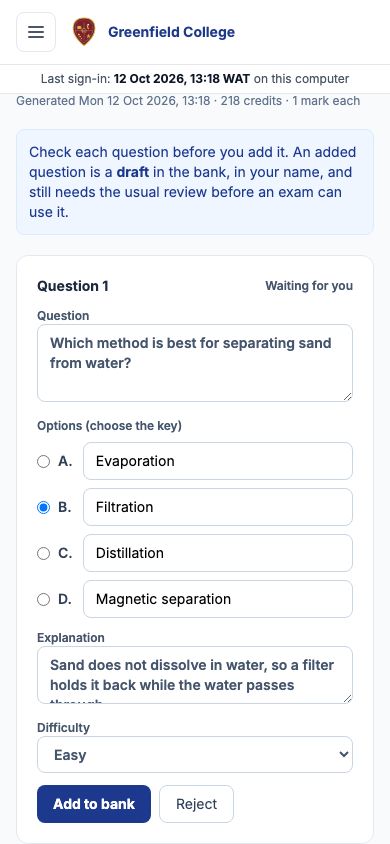
A teacher building a test or an exam can ask the AI for a set of multiple-choice questions on a topic, each with four options, the key and a short explanation, pitched at the class and the examination body you choose. The set lands in a separate list, not in the question bank. You review it card by card and press "Add to bank" or "Reject" for each question; there is no button that adds them all, so every question in your bank has been read by a person.
Before you start
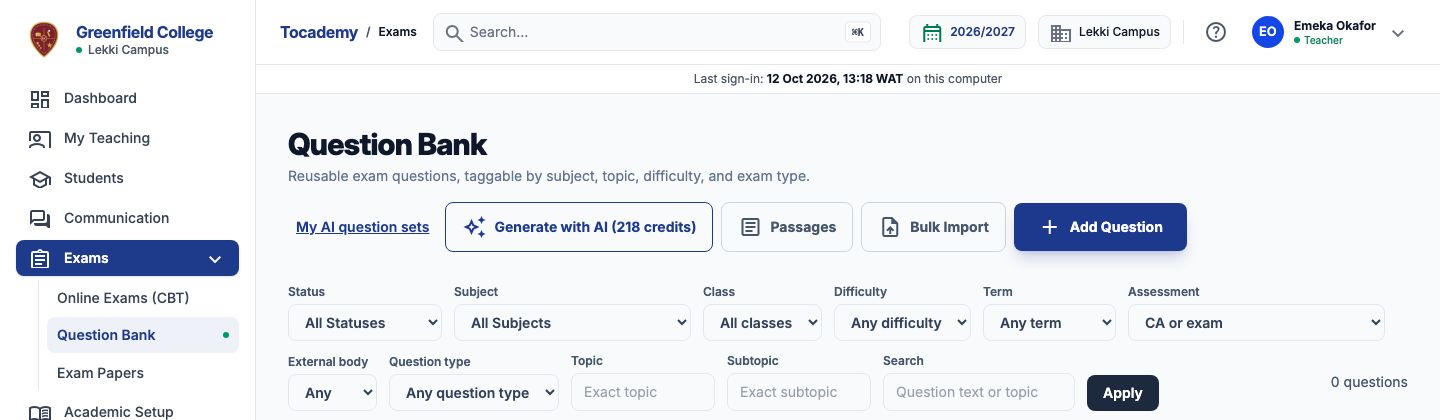
Your school has switched the feature on, you hold credits that cover it, and you may manage the question bank. Open Exams in the sidebar and click Question Bank. The "Generate with AI" button sits at the top beside "My AI question sets", and carries its price, for example 218 credits for a set.
Worked example: ten questions for JSS 2 Basic Science
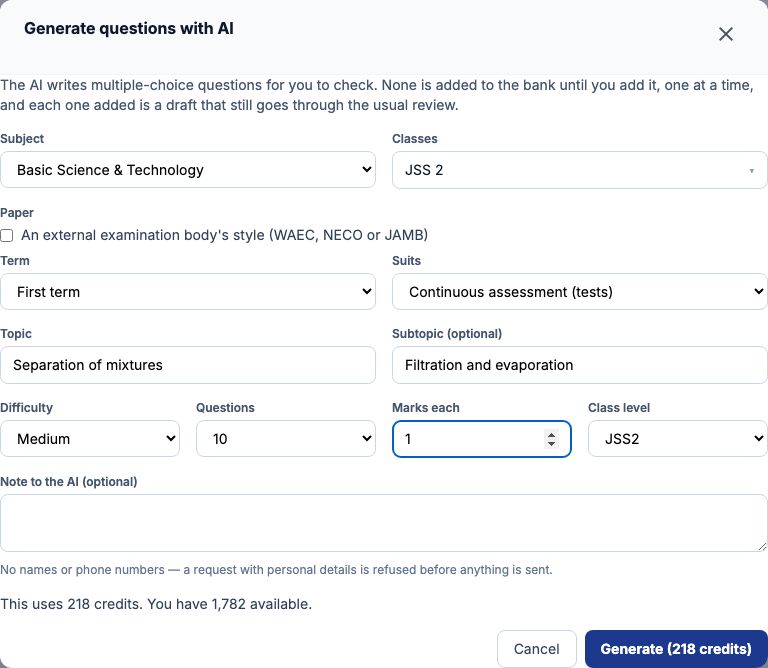
Mr Emeka Okafor presses "Generate with AI". In the dialog he picks the Subject, Basic Science & Technology, and ticks the class JSS 2. Under Suits he chooses "Continuous assessment (tests)", then types the Topic Separation of mixtures and the Subtopic Filtration and evaporation, sets Difficulty to Medium, Questions to 10 and Marks each to 1. He presses "Generate". Writing the questions can take a minute.
Review each question
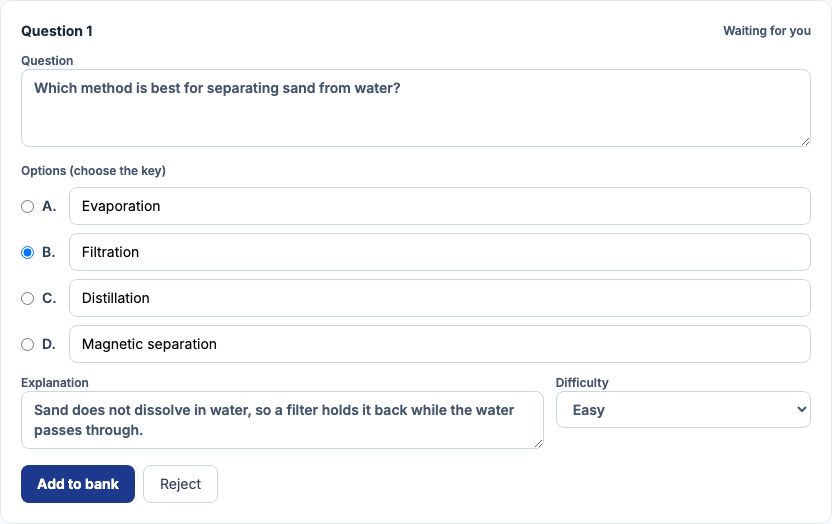
The new set opens under My AI question sets. Each card shows the question, its four options with the key marked, the explanation and the difficulty, and says "Waiting for you". Correct anything you need, choose the right key if the AI got it wrong, then press "Add to bank" to add it as a draft question, or "Reject" to leave it out. When you have finished, "Close set" rejects whatever is still waiting.
My AI question sets
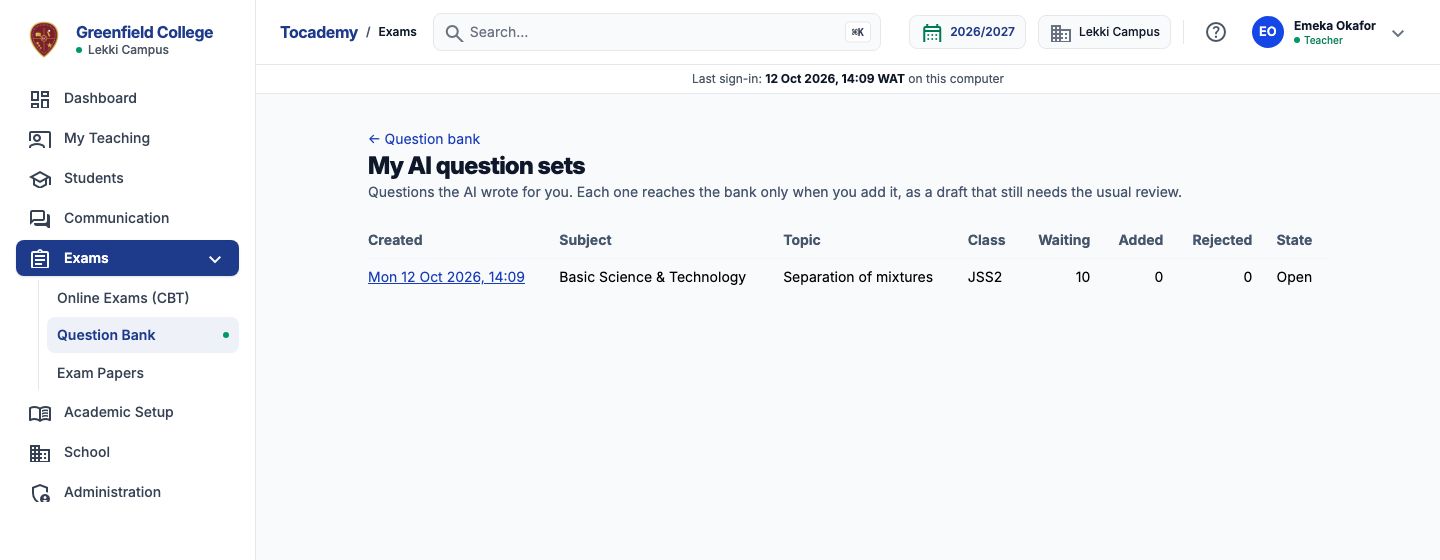
Every set you generated is listed under My AI question sets, newest first, with its subject, topic and class, how many questions are waiting, added and rejected, and whether the set is still open. Open a set to carry on reviewing it later. Questions you added appear in the question bank as drafts, ready for your exam.
What is sent to the AI, and what never is
Only what a question set needs: the subject, the class level, the topic and subtopic, the difficulty, the number of questions and marks, the examination body if you chose one, and your note. Nothing about pupils, staff or your school's records is sent. A note with a name or a phone number is refused with nothing charged.
When the AI says no
Every refusal says why and ends "Nothing was charged." Common ones: "Your school has not switched this AI feature on.", "You do not have enough AI credits left for this.", "AI drafts cover JSS1 to SSS3 only. Choose the class level." and "The AI did not produce a usable answer. Try again." If the connection drops, pressing "Generate" again repeats the same request and is never charged twice.
Cost, and My AI credits
A set costs the credits shown on the button, however many of its questions you add or reject. My AI credits, under My Profile, lists each set with its cost and result, and "Open the draft" takes you back to it.
Still stuck?
Email info@tocel.ng and tell us which guide you were following.