AI Statements for Disputed Payments
When a payer's bank disputes a payment, let the AI draft a neutral statement of what the school's record shows; the amounts, dates and references are filled in by the school, and nothing is recorded until you answer the dispute yourself.
What it does, and for whom
A payer can dispute a payment with their bank, and the school states its position before the provider's deadline: it defends the charge with an account of what the payment was for, or agrees to repay. The AI can draft that account for you, as a neutral statement of what the school's record shows about the payment: how and when it was made, the receipt and invoice, and what you tell it the school provided. It decides nothing: it does not defend or concede, nothing is recorded or filed, and no money moves, until you answer the dispute yourself. It is a Sensitive feature, so your school switches it on only after acknowledging what it sends.
Before you start
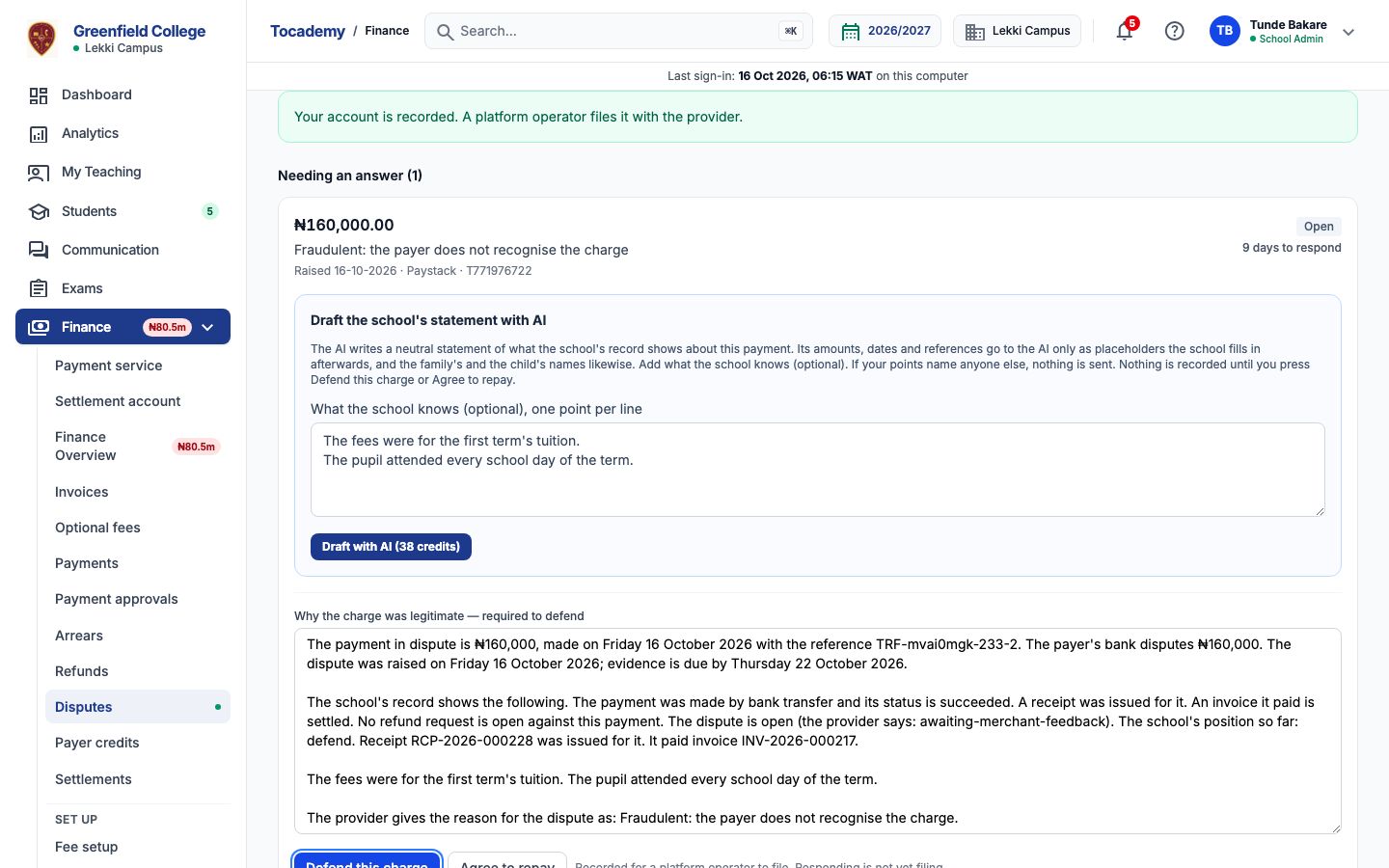
Your school has switched on Payment dispute statement, with its notice acknowledged (Turning On AI Features), you hold credits that cover it, and you may handle disputes for this payment's campus. A Bursar can issue refunds and handle disputes but cannot use AI until the school allows it: whether the Bursar may draft these is the school's choice. A school administrator gives the Bursar role, or a role of the school's own given to that bursar, the permission Use AI on the Roles & Permissions page, then gives the bursar AI credits; without both, the link is not offered. Open Finance, then Disputed charges. Under each dispute still needing an answer, matched to one of the school's payments, is the link "Draft the statement with AI". Open it on the dispute you are answering.
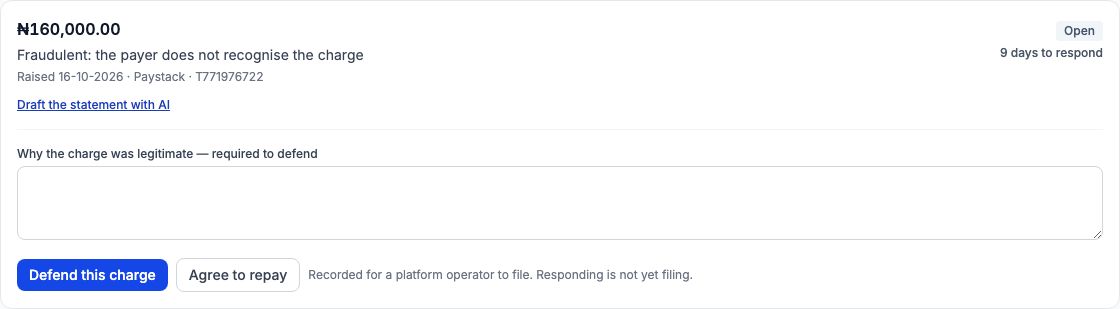
Worked example: a payment the payer does not recognise
A JSS 2 family's payment of first-term fees is disputed: the payer's bank says they do not recognise the charge. Mr Bakare opens the dispute's AI box and types what the school knows, one point per line: The fees were for the first term's tuition. The pupil attended every school day of the term. He presses "Draft with AI". The statement gives the payment's amount, date and reference, when the dispute was raised and when evidence is due, what the record shows (it succeeded, a receipt was issued, the invoice it paid is settled), then his points and the provider's reason. Every amount, date and reference in it is the school's own record, filled in by the school; the AI writes only stand-ins for them.
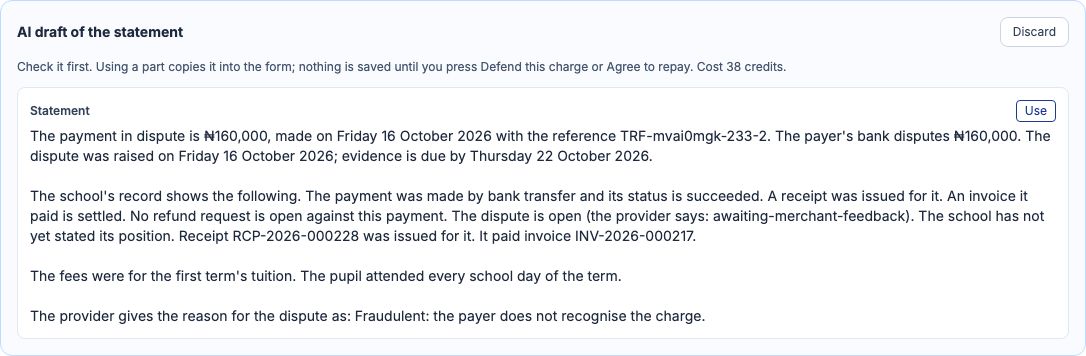
Use it, edit it, and answer the dispute yourself
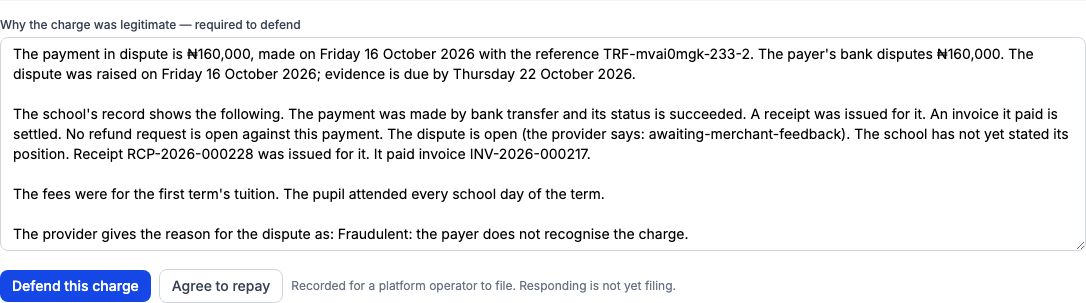
Press "Use" to copy the statement into the statement box. Check it against the record and change anything you like, then press "Defend this charge", or "Agree to repay" if the school accepts the payer should be repaid. Your answer is recorded for a platform operator to file with the provider; the AI files nothing. If the provider updates the dispute before you answer, the draft no longer matches the record and is refused; draft it again. A colleague can read a draft you asked for, but only you can answer with it as an AI statement.
What is sent to the AI, and what never is
What the school's record shows about the payment, as plain lines with no figures (made online, succeeded, a receipt issued, the invoice paid in full), the provider's reason for the dispute and your points, with the family's name and the child's name replaced by placeholders such as [GUARDIAN_1] and [STUDENT_1]. The amounts, dates, payment reference, receipt and invoice numbers are never sent: the AI writes [AMOUNT_1] or [REF_1] where they go and Tocademy fills in the record's own values afterwards. A statement that writes a figure of its own, or promises a refund, is refused and not charged. If your points name anyone else, nothing is sent: "Remove the personal details and try again. They are never sent to an AI provider.", and nothing is charged.
When the AI says no
A refusal says why and ends "Nothing was charged." The most likely are "Your school has not switched this AI feature on.", a dispute already decided or filed with the provider, a dispute not matched to one of the school's payments (there is no record to state), and a payment for an applicant rather than a pupil. Write those statements yourself.
Cost, and My AI credits
Each draft costs the credits on the button, whether you use it, change it or discard it; a refused or unfinished request is never charged. My AI credits lists every request, and "Open the draft" takes you back to the dispute while the draft is still waiting; once you answer with it, it says the draft was used.
Still stuck?
Email info@tocel.ng and tell us which guide you were following.