HR Cases and Discipline
Handle grievances, complaints, disciplinary matters, investigations and improvement plans fairly and confidentially, from opening the case to its outcome and the employee's disciplinary record.
1. What an HR case is
"HR cases" in the HR menu keeps every sensitive staff matter in one confidential file: a Grievance (the employee is the one aggrieved), a Complaint (the employee is the one complained about), a Disciplinary case, an Investigation, or a Performance improvement plan. Each case has a summary, parties, the people allowed to see it, notes, meetings with their minutes, evidence and, at the end, an outcome. A case moves through five stages: Open, In progress, Awaiting its outcome, Closed — or Withdrawn. Nothing in a case is ever deleted: notes cannot be edited, evidence cannot be removed, and a closed case is reopened rather than rewritten. The worked example in this guide is a real kind of case for a school: a driver who was repeatedly late for the morning bus run.
2. Example: opening a case about lateness
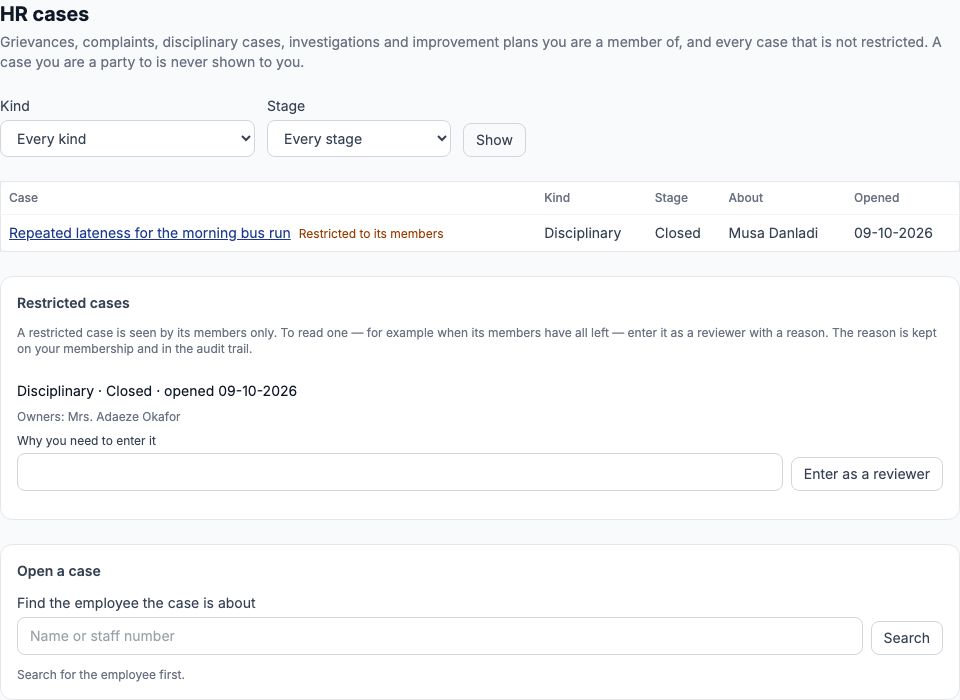
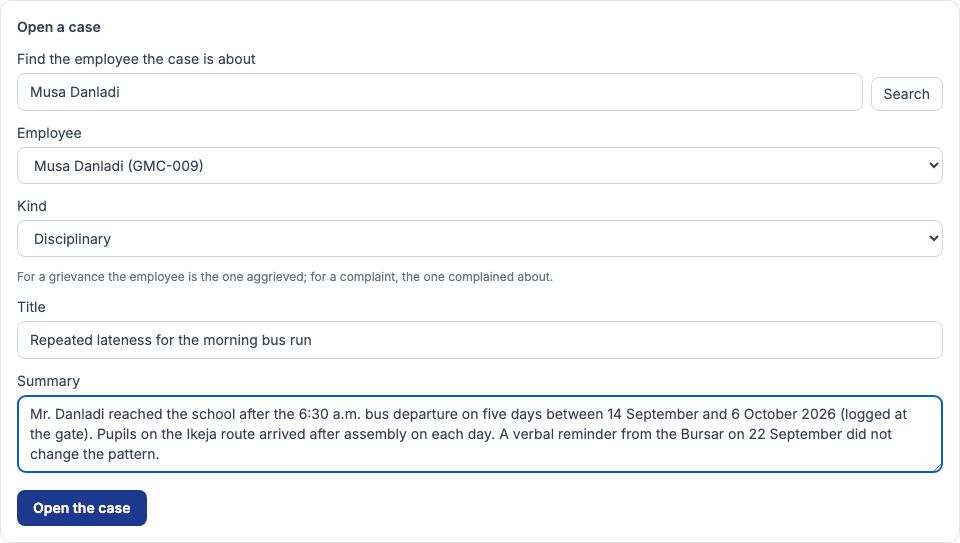
Musa Danladi (GMC-009) drives Greenfield's school bus. The gate log showed him arriving after the 6:30 a.m. departure on five days between 14 September and 6 October 2026, after a verbal reminder from the Bursar. At the bottom of "HR cases", type his name in "Find the employee the case is about" and press "Search". Choose him in "Employee", choose Disciplinary in "Kind", type a short, neutral "Title" — Repeated lateness for the morning bus run — and set out the facts in "Summary": the dates, what the gate log shows, and the effect on pupils. Write facts, not opinions; the employee may one day read the outcome. Press "Open the case".
3. The case page
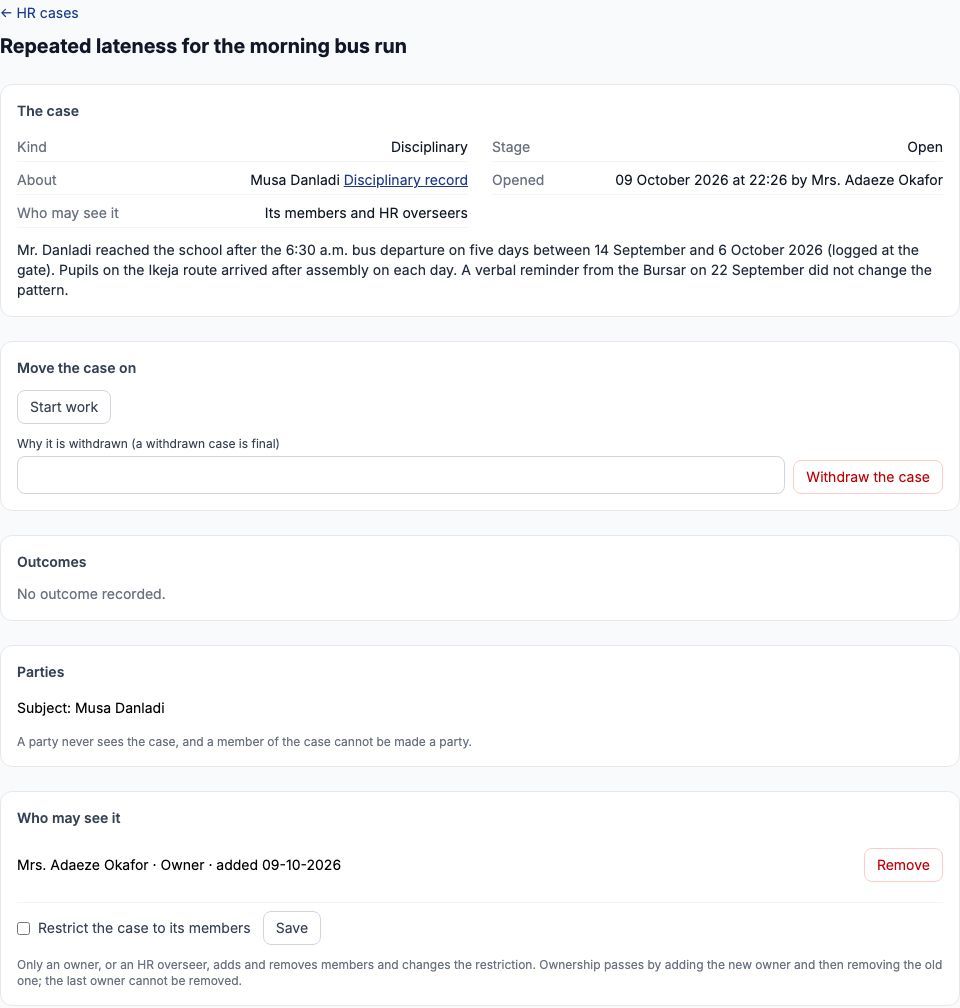
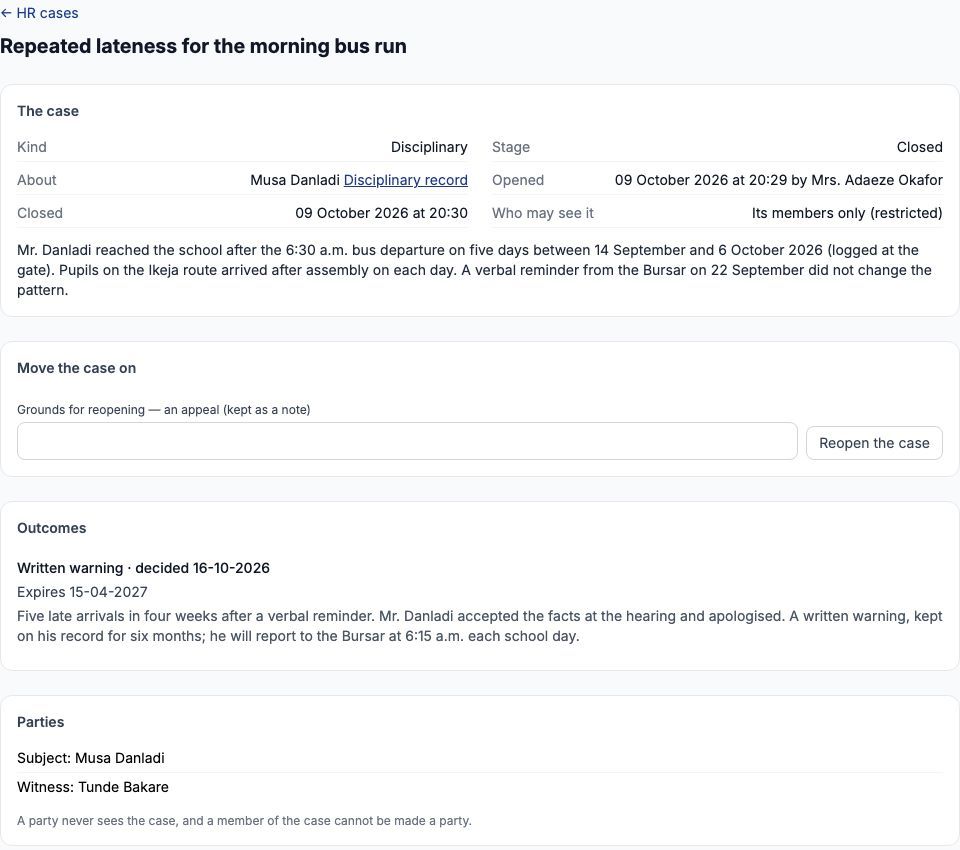
The case opens at the Open stage. "The case" panel shows its kind, stage, who it is about (with a link to his "Disciplinary record"), when it was opened and by whom, and who may see it. The person who opens a case becomes its owner. "Move the case on" offers only what the stage allows: here "Start work", or "Withdraw the case" with a reason — a withdrawn case is final, so use it only when the matter is dropped. The "Parties" panel already lists Musa Danladi as the subject.
4. Parties and members — not the same thing
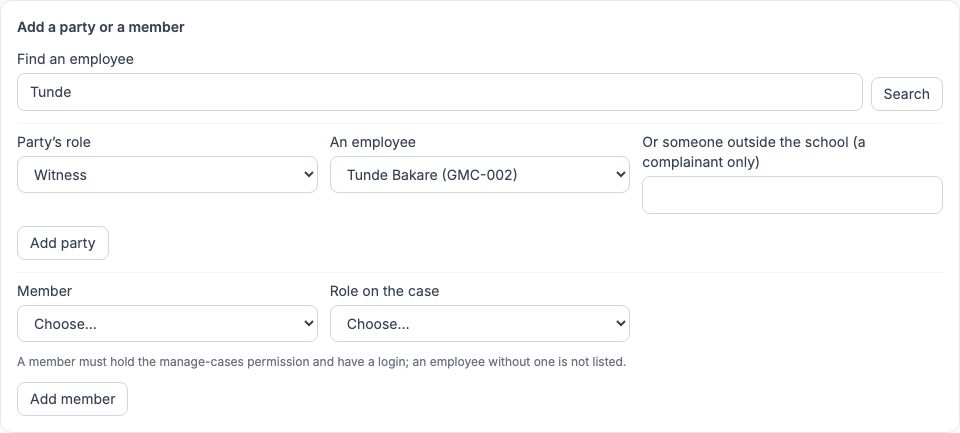
Parties are the people the case is about or who give evidence: a complainant, a respondent or a witness. Members are the staff who work on the case and may read it: owners, investigators and reviewers. A party never sees the case, and a member cannot be made a party. Under "Add a party or a member", type a name in "Find an employee" and press "Search". We set the party's role to Witness, chose Tunde Bakare (GMC-002), Musa's line manager, in "An employee" and pressed "Add party". A complainant from outside the school, such as a parent, goes in "Or someone outside the school (a complainant only)". To add a member, choose them in "Member" and their "Role on the case" and press "Add member"; a member must be able to sign in and hold the permission to manage HR cases.
5. Start work and keep notes
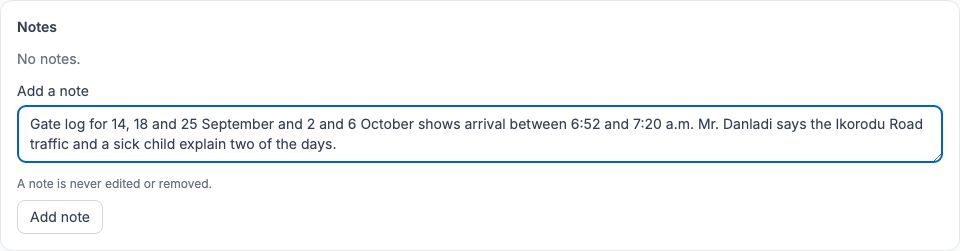
Use "Start work" when the investigation begins; the stage becomes In progress. Record what you find as you go in "Add a note" and press "Add note". Each note is stamped with its author and the time, and is never edited or removed — write a new note to correct an earlier one. Our first note recorded the gate-log times (6:52 to 7:20 a.m.) and Mr. Danladi's explanation that traffic and a sick child accounted for two of the days.
6. Meetings and their minutes
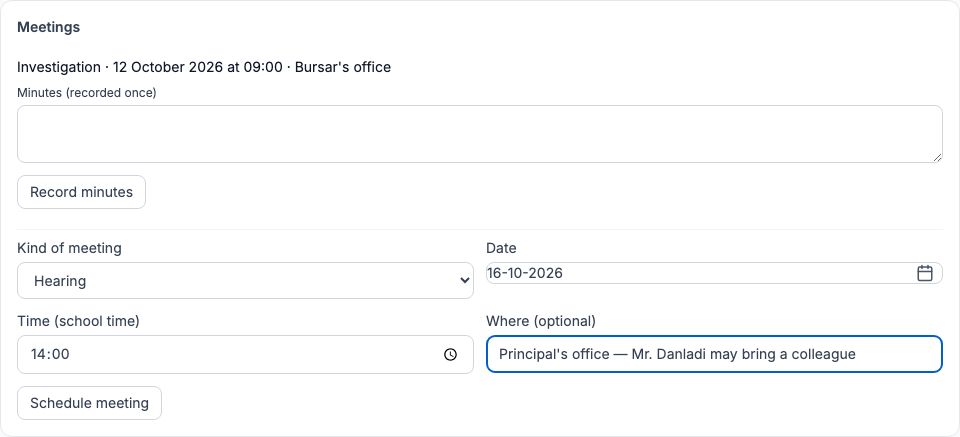
Schedule each meeting in the "Meetings" panel: pick the "Kind of meeting" (Investigation, Hearing, Review or Appeal), its "Date", "Time (school time)" and "Where (optional)", then press "Schedule meeting". We held an investigation meeting in the Bursar's office on 12 October and a hearing in the Principal's office on 16 October 2026, and told Mr. Danladi in writing that he could bring a colleague to the hearing. After each meeting, type what was said and agreed in "Minutes (recorded once)" and press "Record minutes". Minutes cannot be changed afterwards, so read them back before saving.
7. What the meetings recorded
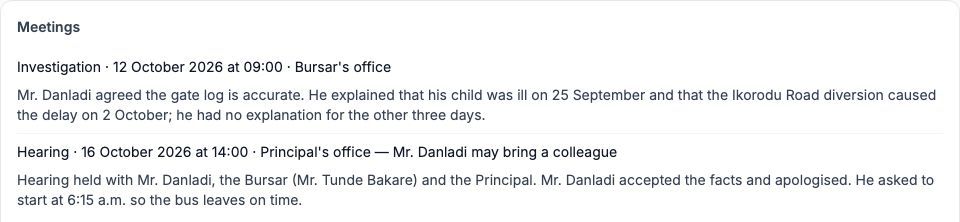
Each meeting is listed with its kind, date, time and place, followed by its minutes. At the investigation meeting Mr. Danladi agreed the gate log was accurate and explained two of the five days. At the hearing, with the Bursar and the Principal present, he accepted the facts, apologised and offered to start at 6:15 a.m. so the bus leaves on time. Evidence such as a scan of the gate log can be added under "Evidence" — a PDF, PNG or JPEG of 10 MB or less, uploaded with "Upload". Minutes can be recorded from the day of the meeting onwards, not before. Every opening of an evidence file is recorded in the audit trail, and evidence is never deleted.
8. Record the outcome
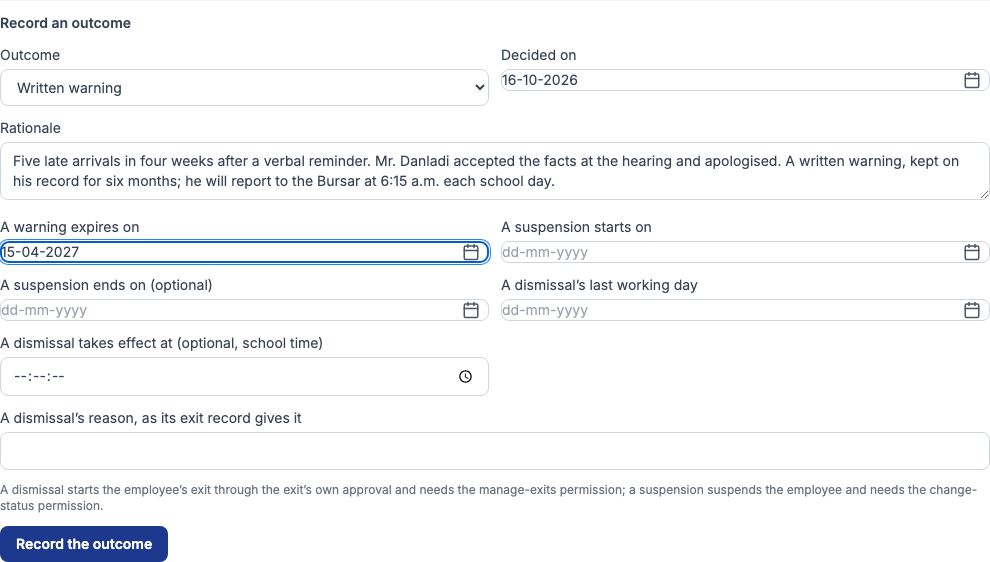
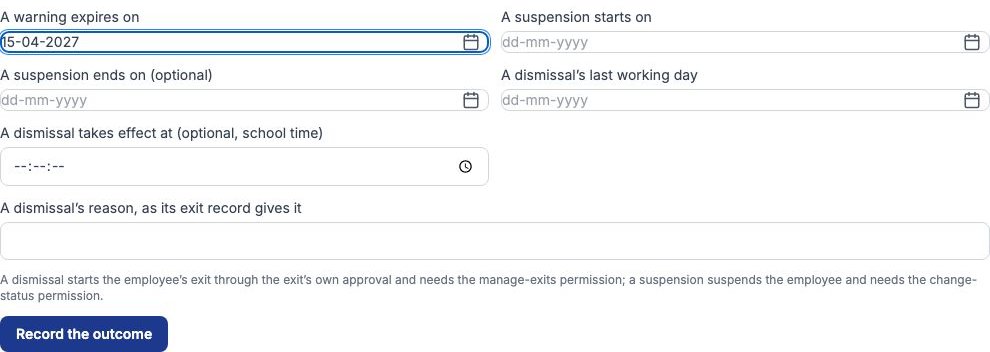
When the facts are established, use "Submit for its outcome"; the stage becomes Awaiting its outcome and "Record an outcome" appears. The "Outcome" list offers only what this kind of case can end in. A disciplinary case can end in No further action, a Verbal warning, a Written warning, a Final written warning, a Suspension or a Dismissal; a grievance in Upheld, Not upheld, Partly upheld or Resolved; an improvement plan in Plan succeeded, Plan failed or Dismissal. We chose Written warning, set "Decided on" to 16-10-2026, explained it in "Rationale", and set "A warning expires on" to 15-04-2027 — six months. Every warning needs an expiry date. "Decided on" cannot be later than today: record the outcome once it has been decided. Press "Record the outcome".
9. Suspensions and dismissals
Two outcomes do more than record a decision. A Suspension needs "A suspension starts on" (and optionally an end date) and actually suspends the employee, so it needs the permission to change staff status. A Dismissal needs the dismissal's last working day and the reason its exit record will give; it starts the employee's exit, which goes through the exit approval chain like any other exit and needs the permission to manage exits. The case's outcome then links to that exit. See the When Staff Leave guide for what follows.
10. Close the case
Once an outcome is recorded, "Close the case" appears; press it. The case is now Closed and shows its outcome: Written warning, decided 16-10-2026, expires 15-04-2027, with the rationale. The only act left is "Reopen the case". That is how an appeal is handled: write the employee's grounds in "Grounds for reopening — an appeal (kept as a note)" and use "Reopen the case"; schedule an Appeal meeting, and record a fresh outcome if the appeal changes it. The original outcome and every note stay in the file.
11. Confidentiality: who may see a case
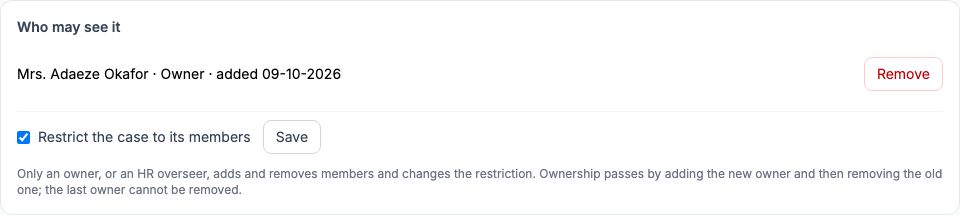
By default a case is seen by its members and by HR overseers (staff with the permission to oversee HR cases). For anything especially sensitive — a safeguarding concern, or a complaint about a senior member of staff — tick "Restrict the case to its members" in "Who may see it" and press "Save". A restricted case is then seen by its members only. Only an owner or an HR overseer changes the members or the restriction. Ownership passes by adding the new owner and then removing the old one; the last owner cannot be removed. Nobody sees a case they are a party to, so a member of staff can never read a complaint about themselves.
12. Restricted cases and break-glass
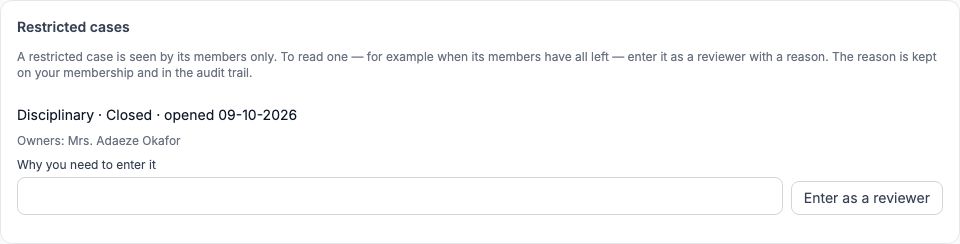
An HR overseer sees a "Restricted cases" panel on the HR cases page. It shows only the kind, stage, date and owners of each restricted case — never its title or contents. If an overseer must read one, for example because all its members have left the school, they type the reason in "Why you need to enter it" and press "Enter as a reviewer". They are added as a reviewer, and the reason is kept on their membership and in the audit trail, so nobody enters a restricted case without it being seen.
13. The disciplinary record
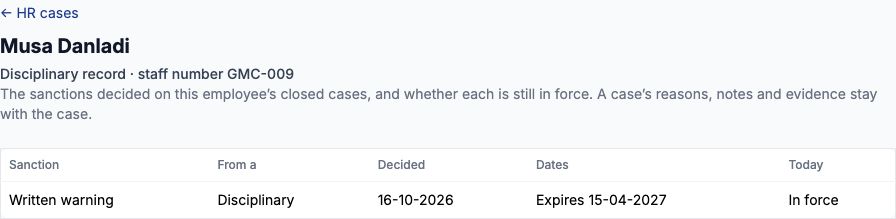
Open "Disciplinary record" beside the employee's name on any of their cases. It lists the sanctions decided on that employee's closed cases — the sanction, the kind of case it came from, when it was decided, its dates, and whether it is in force today. Musa Danladi's shows one Written warning from a Disciplinary case, decided 16-10-2026, expiring 15-04-2027, In force. After the expiry date it shows No longer in force but stays on the record. The case's reasons, notes and evidence stay with the case: the disciplinary record is safe to show to someone who needs to know the sanction but not the story. Reading it needs the permission to view disciplinary records.
Still stuck?
Email info@tocel.ng and tell us which guide you were following.