AI Learning Gap Plans
Let the AI write an activity plan for each of a class's weakest topics, from its CBT results by topic, beside the deficiency tracker on Analytics › Academics; you accept it to keep it.
What it does, and for whom
The deficiency tracker on Analytics › Academics shows the pupils failing two or more subjects. A head of department also needs to know which topics a class has not grasped, and what to do about them. When a class has sat CBT exams whose questions carry a topic in the question bank, Tocademy works out each topic's pass rate for the class: the share of pupils who scored at least half the marks on that topic's questions. Topics with a pass rate under 50% are the weak ones, at most three. The AI then writes an activity plan of at most 400 words for each weak topic: what to reteach, classroom activities with low-cost materials, how to check the class has caught up, and practice at home. The AI changes no mark and writes nothing anywhere: the plan is kept only when you accept it.
Before you start
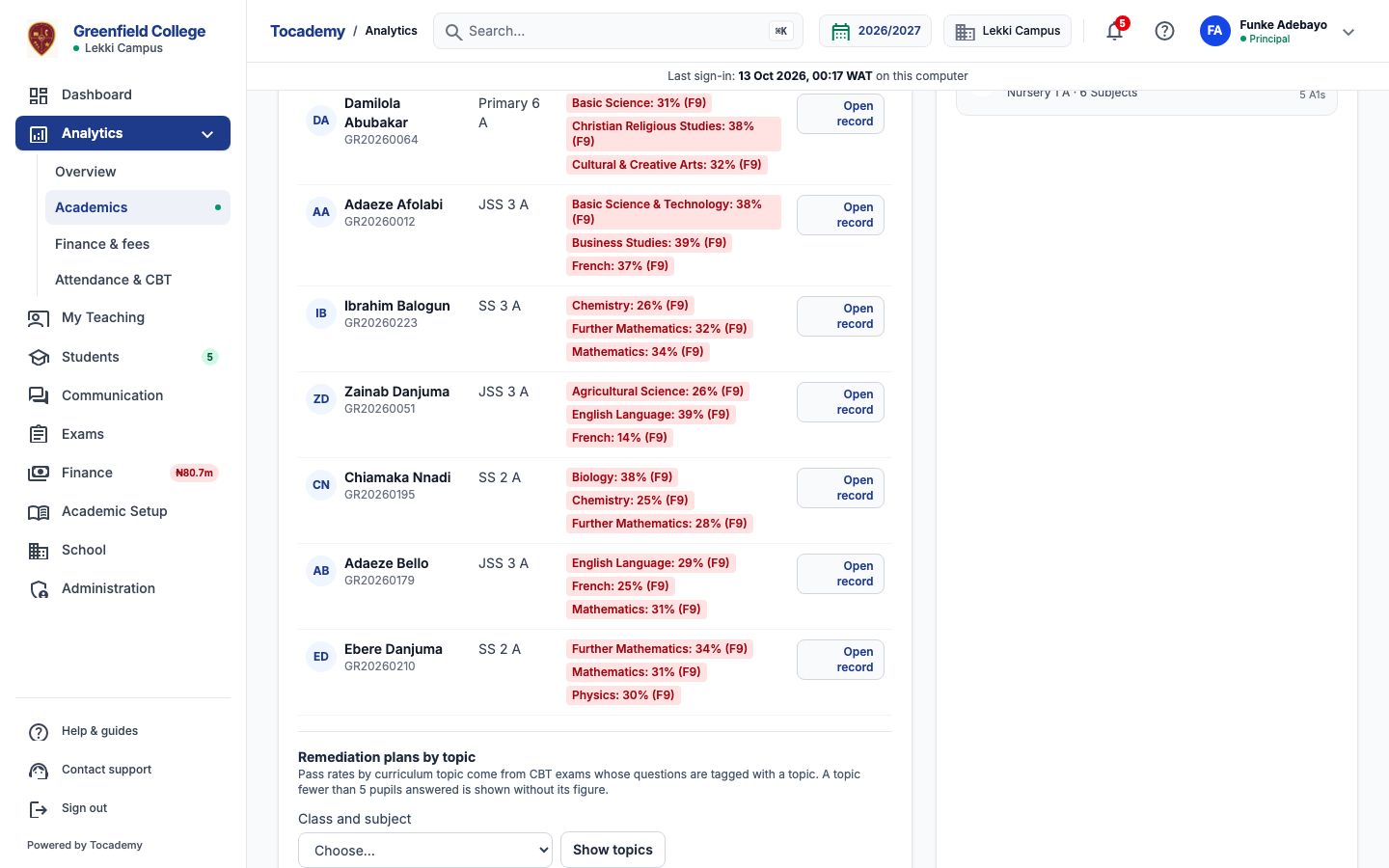
Your school has switched on Learning gap remediation plan (Turning On AI Features), you hold credits that cover it, and your role may see the broadsheet, as a principal, school administrator or campus administrator may. Open Analytics in the sidebar, click Academics and choose the term, then scroll to the Academic Deficiency Remediation Tracker. Under its list is "Remediation plans by topic": choose a class and subject in "Class and subject" and press "Show topics". Only classes and subjects with CBT topic results are listed, with how many pupils sat them.
Read the topic figures first
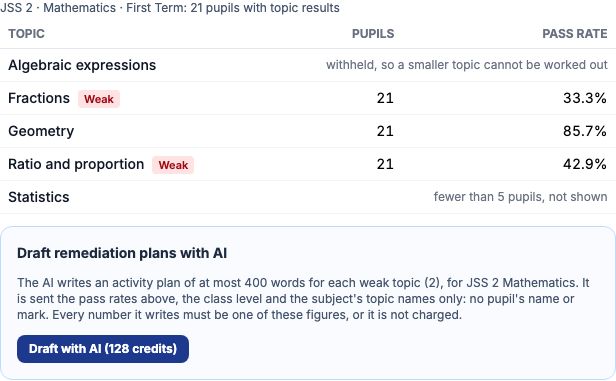
The card lists every topic the class's CBT questions carried, with how many pupils answered it and its pass rate, exactly as the AI would be sent them. Mrs Funke Adebayo, Greenfield's principal, chooses JSS 2 — Mathematics for First Term: 21 pupils sat the topic test. Fractions is weak at 33.3% and Ratio and proportion at 42.9%, each marked "Weak"; Geometry is strong at 85.7%. Statistics was answered by only three pupils, so it reads fewer than 5 pupils, not shown, and Algebraic expressions is shown as withheld, so that Statistics cannot be worked out from the class's totals. Under the table is "Draft remediation plans with AI" with its button and price, 128 credits at Greenfield.
Worked example: JSS 2 Mathematics at Greenfield
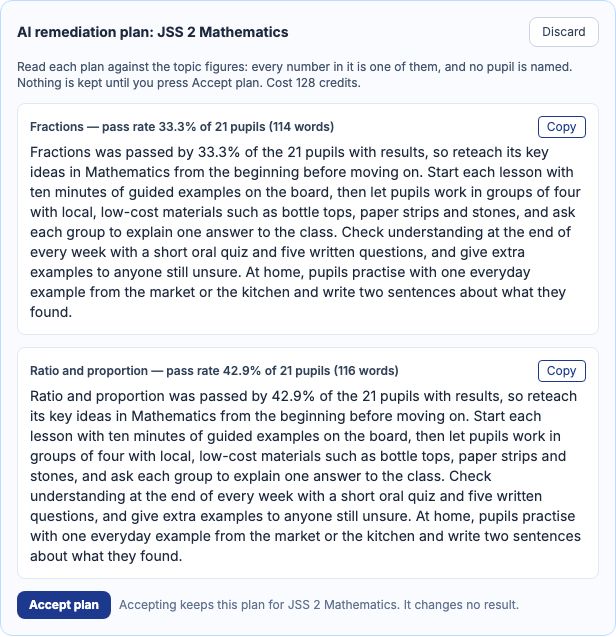
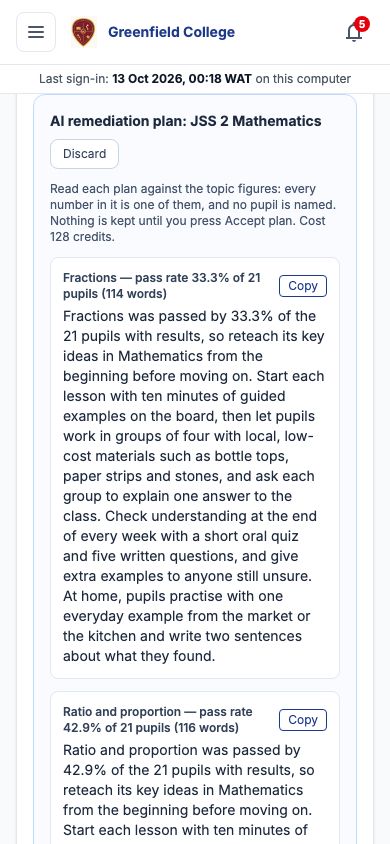
Mrs Adebayo presses "Draft with AI". The draft appears as AI remediation plan: JSS 2 Mathematics, one plan for each weak topic. The Fractions plan begins: Fractions was passed by 33.3% of the 21 pupils with results, so reteach its key ideas in Mathematics from the beginning before moving on, then sets ten minutes of guided examples on the board, group work in fours with bottle tops, paper strips and stones, a weekly oral quiz and five written questions, and an everyday example to practise at home. The Ratio and proportion plan follows the same way. Every number in a plan is one of the topic figures; the panel shows each plan's length and what the draft cost.
Accept it, or try again
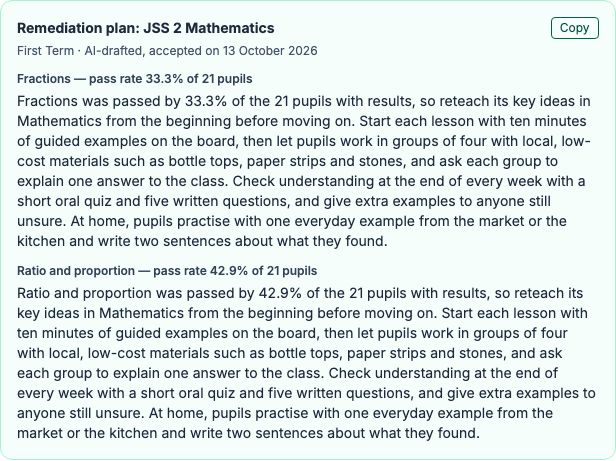
Read each plan against the topic figures. Press "Accept plan" to keep it exactly as written: it then sits on the card for that class, subject and term as "Remediation plan", with the day you accepted it, and "Copy" puts the whole plan on your clipboard to share with the subject teacher. Press "Regenerate with AI" for a fresh draft, which replaces the one waiting and is charged again, or "Discard" to close it without keeping anything.
On a phone
The topic table, the button and the plan stack down the page on a phone; each plan keeps its own "Copy" button.
No topic data yet
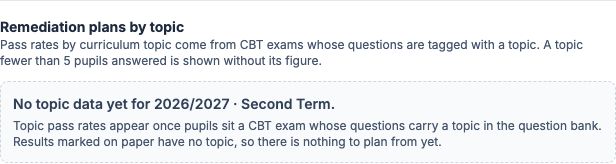
Topic pass rates come only from CBT exams whose questions carry a topic in the question bank. A school that marks on paper, a term with no CBT test yet, or questions filed with no topic give nothing to plan from: the card says "No topic data yet" and offers no AI button. Give your bank questions a topic (AI Question Tagging can suggest them) and the class's next CBT test fills the card.
What is sent to the AI, and what never is
Only the term's name, the class level, the subject's name and topic names, and figures Tocademy works out from the CBT answers: how many pupils have topic results, the class's topic results together and their pass rate, and each topic's pupils and pass rate. No pupil's name, admission number, id or mark is ever sent. A topic fewer than 5 pupils answered is named without its figure, and the next-smallest topic is held back beside it, its figures withheld, so that the small one cannot be worked out from the class's totals. A plan with a number that is not one of these figures, a rounded rate or a duration in digits, is refused and not charged.
When the AI says no, and what it costs
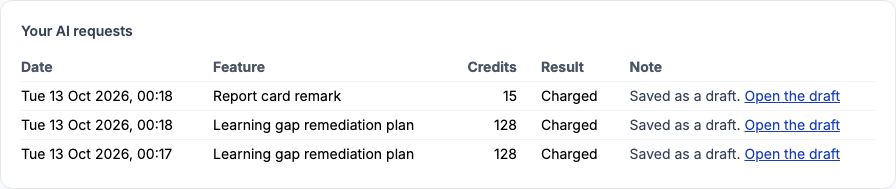
A refusal always says why and ends "Nothing was charged.", for example when fewer than 5 pupils have topic results, or no topic shown has a pass rate under 50%. Each draft costs the credits on the button, whether you accept it or not; a refused or unfinished request is never charged. My AI credits, under My Profile, lists every request with its cost, and its link "Open the draft" goes back to Analytics › Academics.
Still stuck?
Email info@tocel.ng and tell us which guide you were following.