AI Passages with Questions
Let the AI write an original reading passage for a class, with five multiple-choice questions on it; approve the passage, then each question, into your question bank.
What it does, and for whom
Comprehension passages take long to write, and a passage copied from a textbook cannot be used. A teacher can ask the AI for an original passage for one of the school's subjects, pitched at a class level, on a theme you choose and in one of three lengths, with five multiple-choice questions on it, each with four options, the key and a short explanation. Nothing reaches the question bank by itself: you approve the passage, then tick each question you want, and the bank adds them exactly as if you had typed them, every question a draft that still goes through the usual review.
Before you start
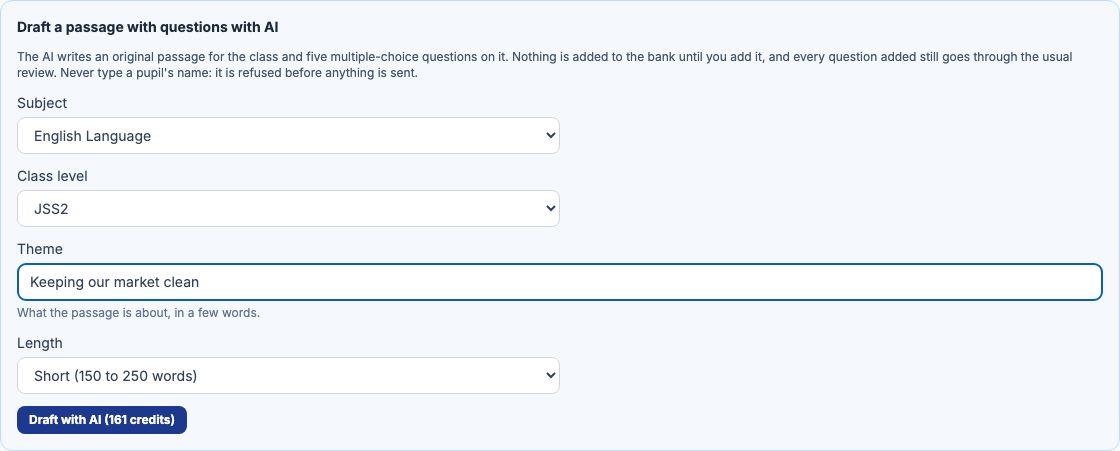
Your school has switched on Passage with 5 linked questions (Turning On AI Features), you hold credits that cover it, and you may manage the question bank. Open Exams in the sidebar, click Question Bank and then Passages. The box "Draft a passage with questions with AI" sits above the list, and its button carries the price, 161 credits at Greenfield.
Worked example: a JSS 2 passage on keeping the market clean
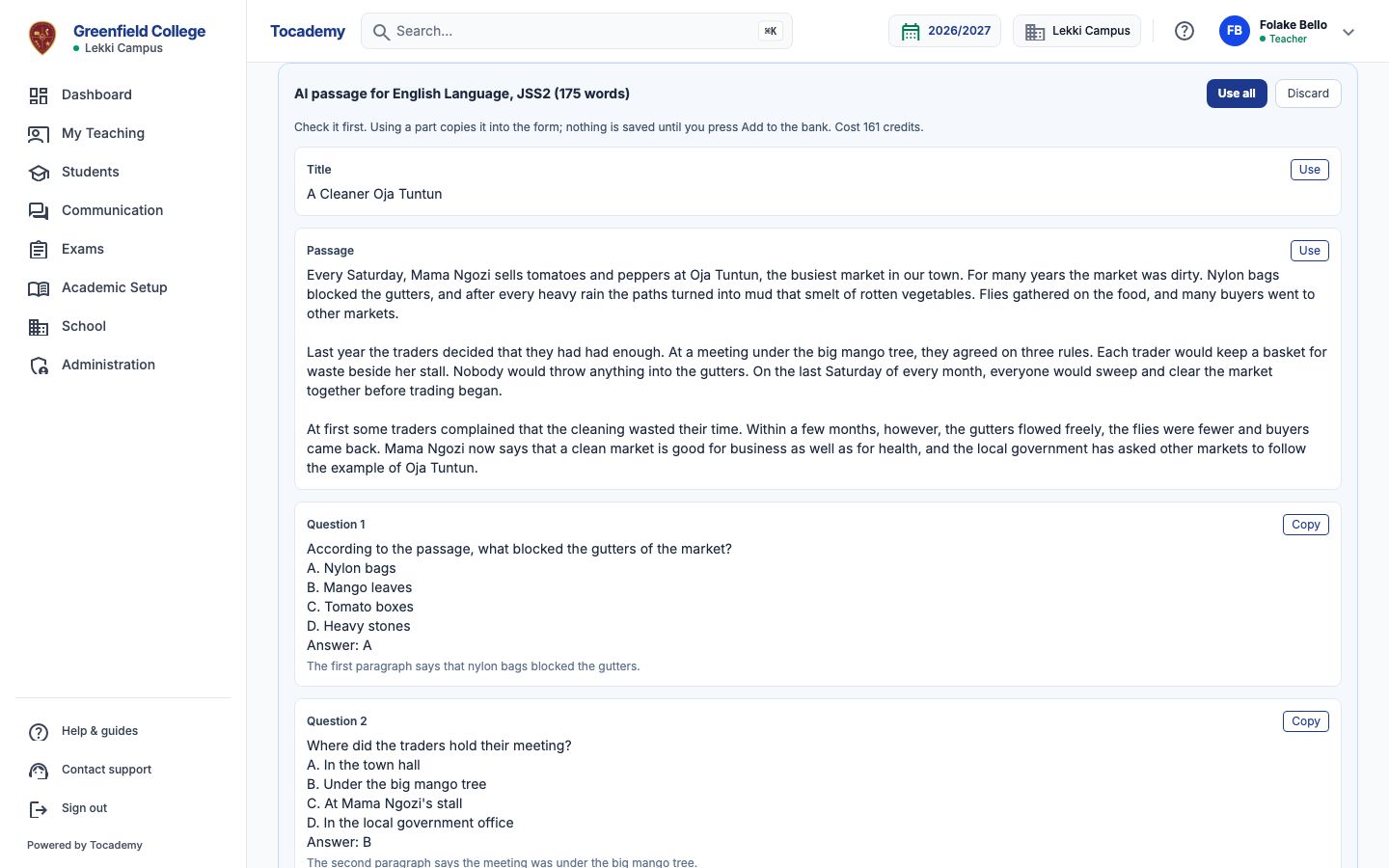
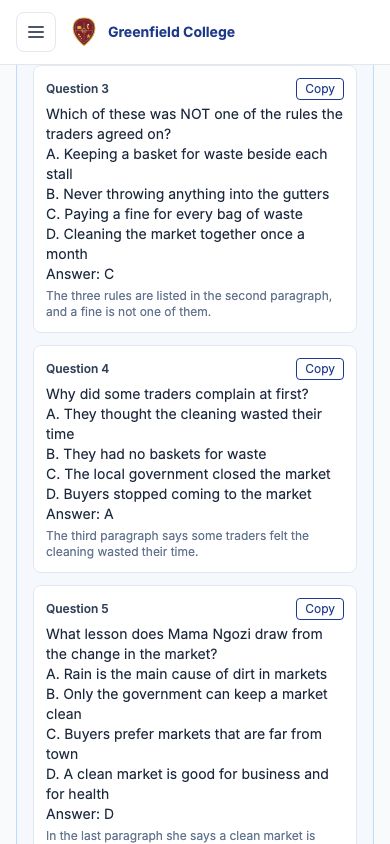
Mrs Folake Bello teaches English Language. She chooses the Subject English Language, the Class level JSS2, types the Theme Keeping our market clean, sets Length to Short (150 to 250 words), and presses "Draft with AI". The draft appears below, headed with the subject, the class and the passage's word count: the title, A Cleaner Oja Tuntun, the passage about Mama Ngozi's market, and five questions, each with its options, its answer and, under it, why that answer is right. Every question follows the same rules as an AI question set: exactly four options, one correct, no two the same. An answer that breaks one is refused and not charged.
Approve the passage, then each question
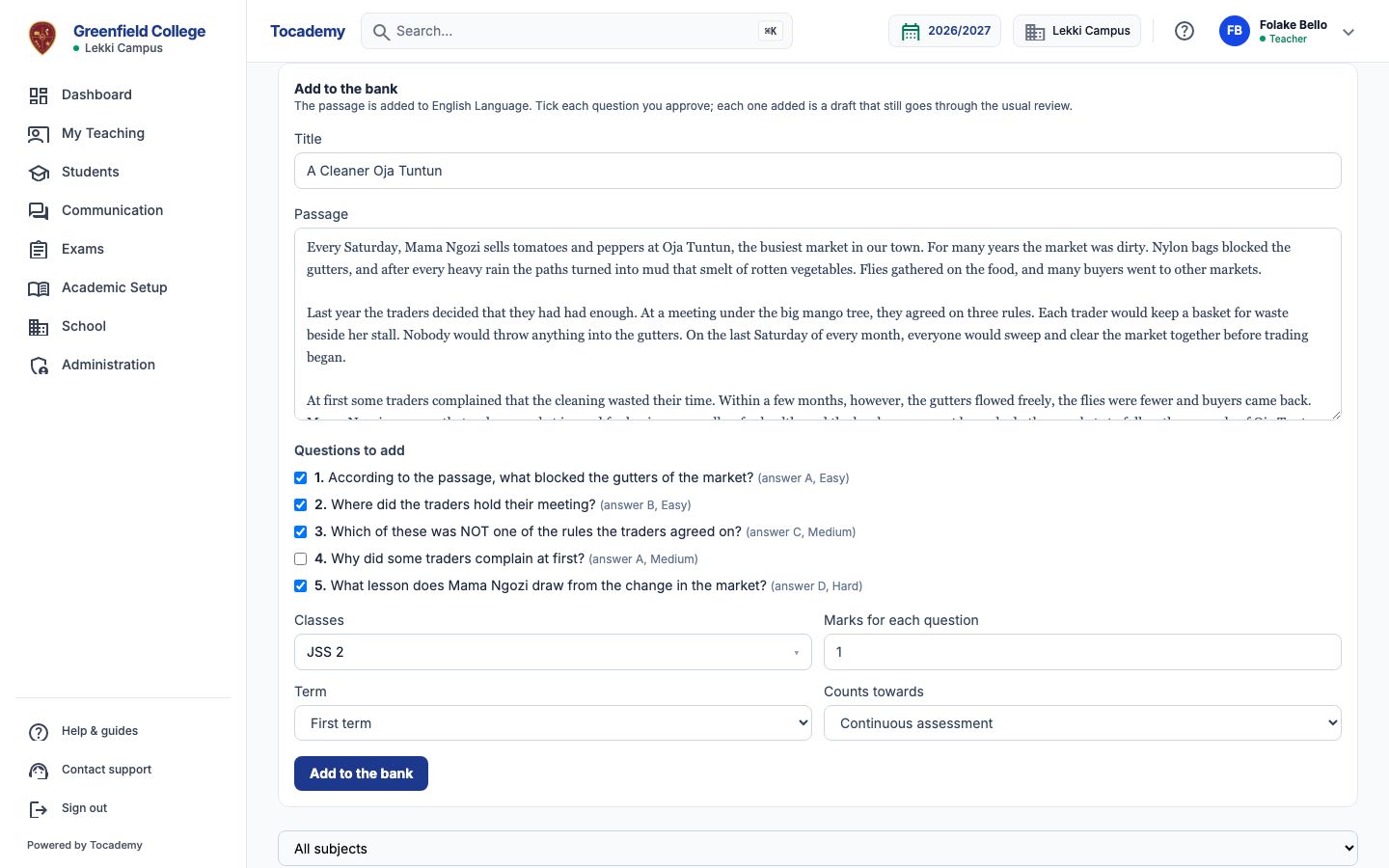
Below the draft is the form "Add to the bank", already holding the title and the passage; change any word, or press "Use" in the draft to put the AI's version back. Then tick each question you approve: nothing is ticked for you. Mrs Bello ticks questions 1, 2, 3 and 5 and leaves 4 out. Under Classes she chooses JSS 2, keeps the Term at First term and "Counts towards" at continuous assessment, sets "Marks for each question" to 1, and presses "Add to the bank".
In the bank, ready for review
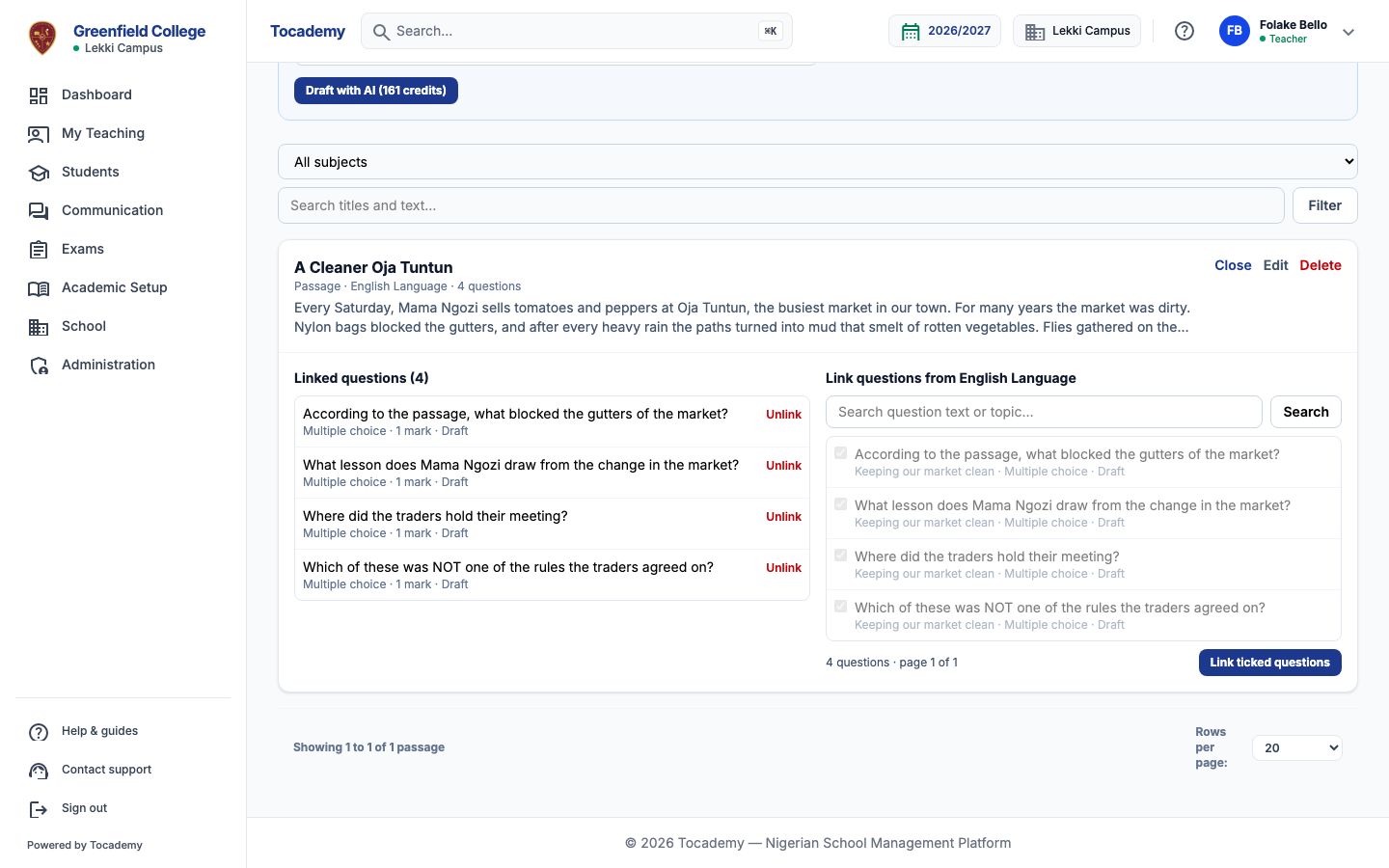
The passage joins the list as A Cleaner Oja Tuntun with its four questions linked to it; open "Questions" on it to see them. Each one is a draft in the question bank, so it goes through the usual review before an exam can use it, and in a CBT exam it is shown beside the passage. If the bank refuses a question, for example because the same wording is already there, the message names it and the others still go in; the passage is kept, and pressing "Add to the bank" again adds only what is left.
Editing and drafting again
Not happy with the passage? Change the theme or the length and press the button again, which now reads "Regenerate with AI": the new draft replaces the one waiting, and is charged like any other. "Discard" throws a draft away and costs nothing more. Each teacher has one passage draft waiting at a time. On a phone the draft and the form sit one above the other, with the same buttons.
What is sent to the AI, and what never is
Only what a passage needs: the subject's name as your school writes it, the class level, your theme, the length and the number of questions. Nothing about pupils, staff or your school's records is sent. Your theme is checked before it leaves, and a theme with a name or a phone number in it is refused with "Remove the personal details and try again. They are never sent to an AI provider." and nothing is charged. Any person in the passage is made up by the AI.
When the AI says no, and what it costs
A refusal always says why, and ends "Nothing was charged." The most likely are "Your school has not switched this AI feature on.", "You do not have enough AI credits left for this." and "The AI did not produce a usable answer. Try again." A draft costs the credits on the button however many of its questions you add; a refused or unfinished request is never charged. My AI credits, under My Profile, lists each request with its cost, and "Open the draft" goes back to the passages page.
Still stuck?
Email info@tocel.ng and tell us which guide you were following.