AI Marking Guides
Let the AI draft a theory question's marking guide — the points a marker looks for and what each is worth — from the question, its parts and its model answer; you edit the points and save them.
What it does, and for whom
A theory question is marked fairly when every marker looks for the same points and gives each the same marks. A marking guide writes those points down, for example: Names filtration as the method, 1 mark. The AI drafts one for a theory question in your question bank from the question, its parts, its marks and its model answer. Tocademy checks that the points add up to exactly what the question is worth, and on a question with parts that each part's points add up to that part's marks; a draft that does not is refused and never charged. Nothing reaches the question until you save the guide. When the question is put on a CBT exam, the exam copies the guide with it, and the marker sees it beside every answer.
Before you start
Your school has switched on Marking rubric draft, with its notice acknowledged (Turning On AI Features), you hold credits that cover it, and you may manage the question bank. Open Exams in the sidebar, click Question Bank, and find the theory question. Every theory question has a "Marking guide" link beside "Edit"; other question types have none.

Worked example: sand and salt, JSS 2 Basic Science
Mr Emeka Okafor follows the "Marking guide" link of A mixture contains sand and common salt: part (a), 1 mark, asks for the method that separates the sand, and part (b), 3 marks, how to obtain dry salt. The page shows the question, its parts and its model answer, then "Draft a marking guide with AI" with its price, 62 credits at Greenfield, and the editor, empty for now: Points add up to 0 of 4.
![The Marking guide page for A mixture contains sand and common salt: Basic Science & Technology, 4 marks, Approved; parts (a) [1 mark] and (b) [3 marks]; the model answer; the Draft a marking guide with AI box with its Draft with AI (62 credits) button; and the empty editor saying Points add up to 0 of 4.](/guides/ai-marking-guides/02-launcher.jpg)
Read the draft
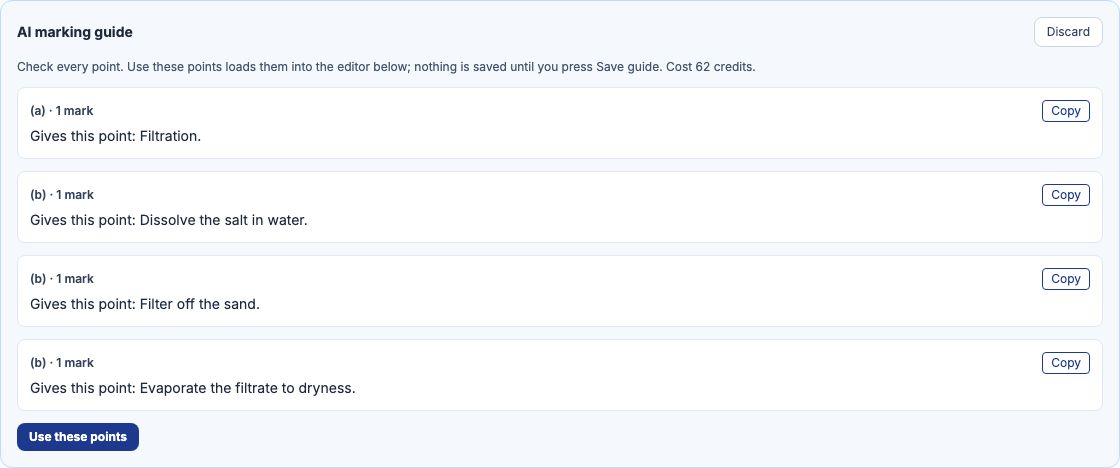
He presses "Draft with AI". The draft, AI marking guide, lists four points: one for part (a), naming filtration, 1 mark, and three for part (b) — dissolving the salt, filtering off the sand and evaporating the filtrate, 1 mark each. They add up to the question's 4 marks, and part (b)'s to its 3. The panel shows what the draft cost. "Discard" closes it without keeping anything.
Edit the points, then save
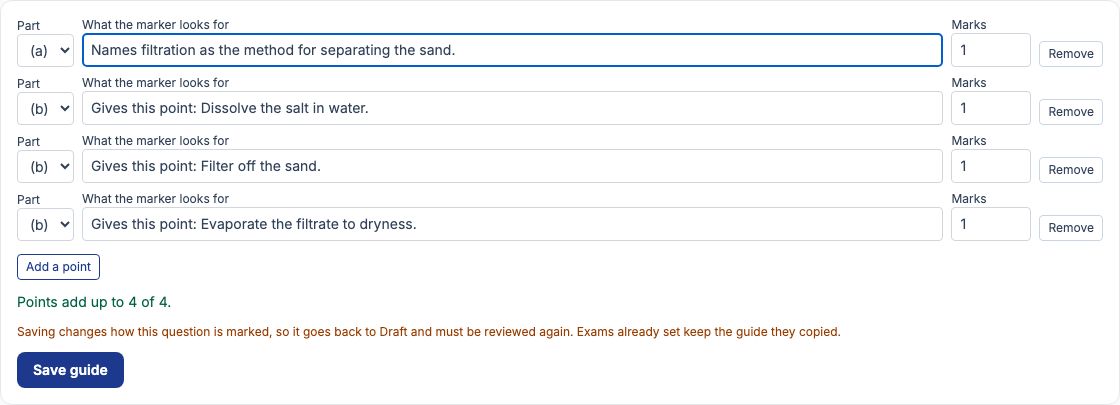
Press "Use these points": the points go into the editor, where you can reword any of them, change its part or marks, press "Remove" on one or press "Add a point". The line under the points says whether they add up, for example Points add up to 4 of 4, and "Save guide" stays greyed out until they do, overall and part by part. Mr Okafor rewrites the first point in his own words and presses "Save guide". A guide changes how the question is marked, so an approved question goes back to Draft and must be submitted for review again; exams already set keep the guide they copied.
Saved
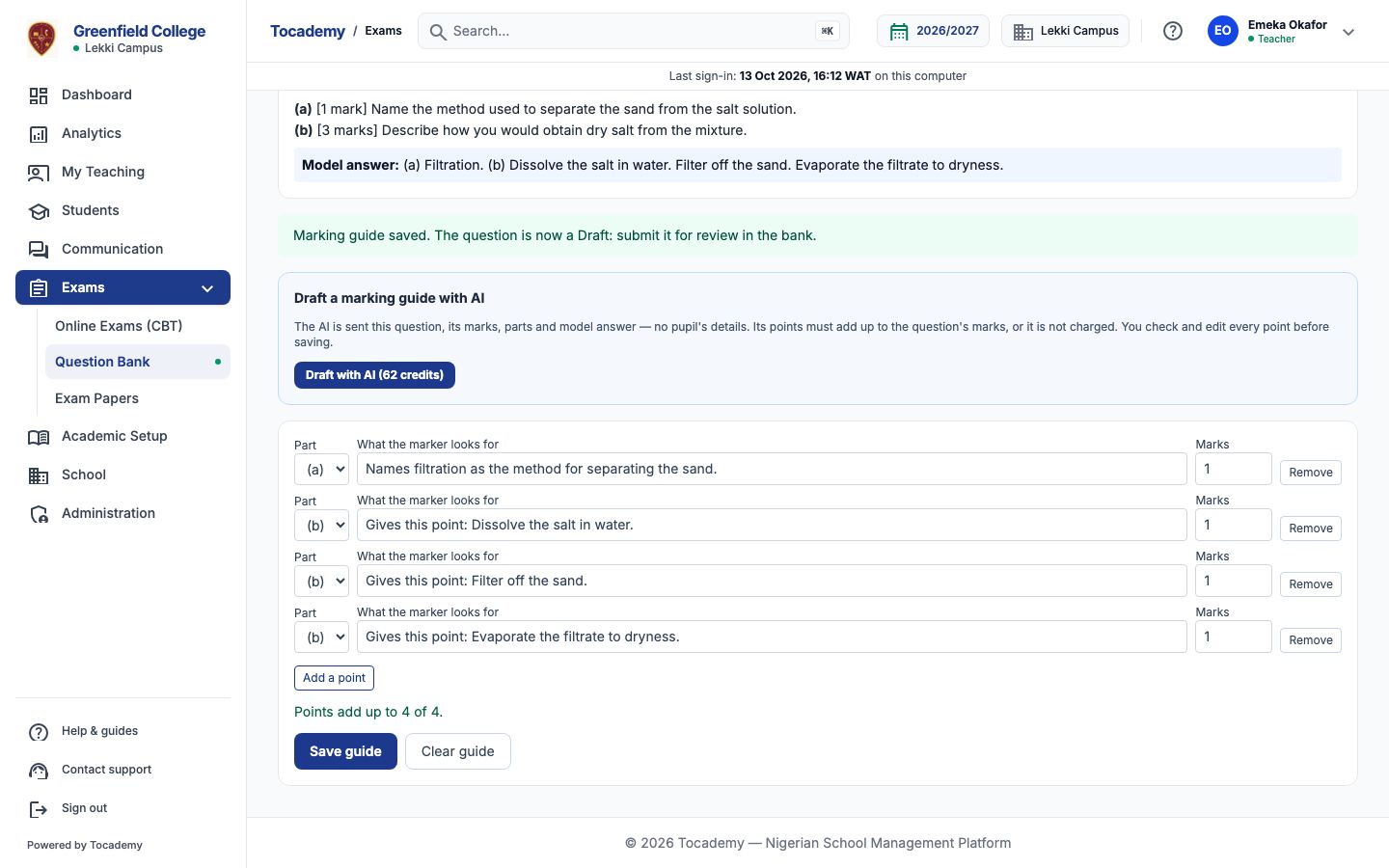
The page says the guide is saved and that the question is now a Draft to submit for review. The editor shows the guide as stored, and "Clear guide" removes it. The draft is recorded as used, with how much of it you changed.
On a phone
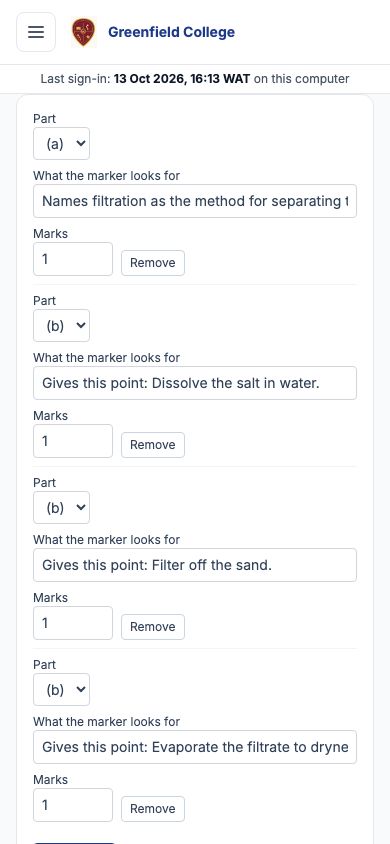
On a phone each point's part, text and marks stack, one point under another.
What is sent to the AI, and what never is
Only the subject's name, the question's text, its marks, its parts and its model answer, as the question's author wrote them. No pupil's data of any kind is part of it. The text is still checked first: a name, phone number or other personal detail in it is refused before anything is charged. Marking features are ones the school chooses: the AI features page asks the school to acknowledge what each sends before it can be switched on.
When the AI says no, and what it costs
A refusal always says why and ends "Nothing was charged.", for example for a question that is not a theory question, or one too long for an AI draft. A draft whose points do not add up to the question's marks is refused and never charged. A question edited while the AI was writing is not kept and not charged; draft it again. Each draft costs the credits on the button, whether you save it or not; My AI credits, under My Profile, lists every request with its cost.
Still stuck?
Email info@tocel.ng and tell us which guide you were following.