AI School Letters
Draft the text of a consent form, or a trip's consent wording and itinerary, with AI; the record's dates and costs are filled in by Tocademy, never sent to the AI.
What it does, and for whom
Letters to families take time to word well. The AI can draft three kinds: the text of a consent form (an event, medical care, photographs or a school policy), a trip's consent wording, and a trip's itinerary. It writes from the record you are on, its kind, title and destination, plus any points you add. Every date, time and amount in the letter comes from the record itself and is put in by Tocademy after the AI has answered: the AI only ever sees a stand-in, so it cannot get a figure wrong. Nothing reaches a family until you save the text and publish the record yourself.
Before you start
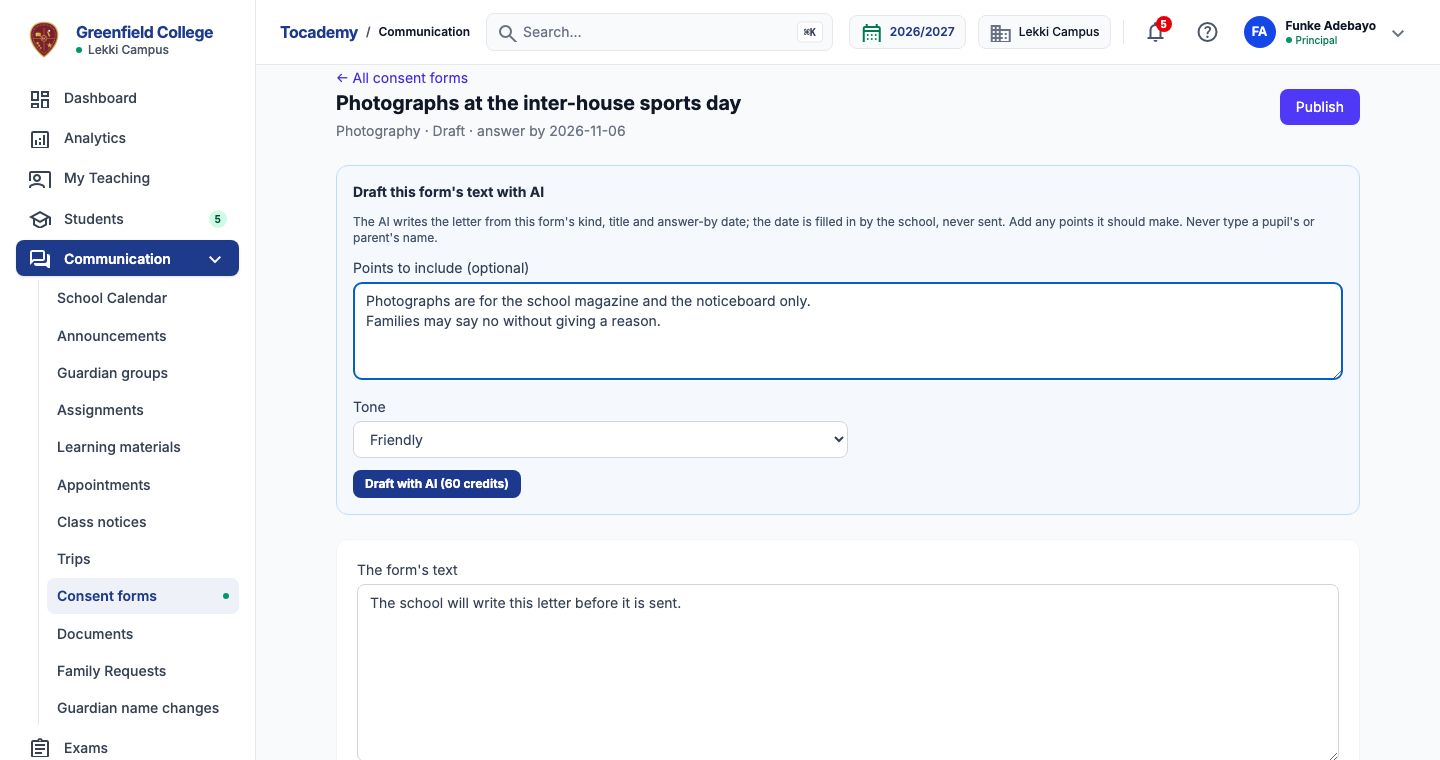
Your school has switched on School letter draft and given you credits for it, and your role may manage consent forms or trips; at Greenfield that is the principal, Mrs Funke Adebayo. The record must still be a Draft: once it is published, families have it and its text no longer changes. Open Communication in the sidebar, click Consent forms or Trips, and open the draft. The box "Draft this form's text with AI" sits above the form's text, and its button shows the price, 60 credits at Greenfield.
Worked example: a consent form for photographs
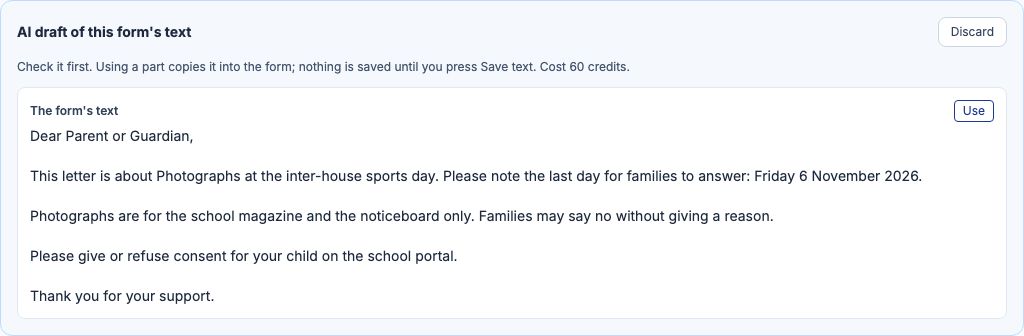
JSS 2's form Photographs at the inter-house sports day asks families whether their child may be photographed. Under "Points to include (optional)" Mrs Adebayo types: Photographs are for the school magazine and the noticeboard only. Families may say no without giving a reason. She sets "Tone" to "Friendly" and presses "Draft with AI". The draft appears as "AI draft of this form's text". The answer-by date, Friday 6 November 2026, is in it because Tocademy put it there from the form: the AI wrote only a stand-in where the date goes.
Use it, then save and publish
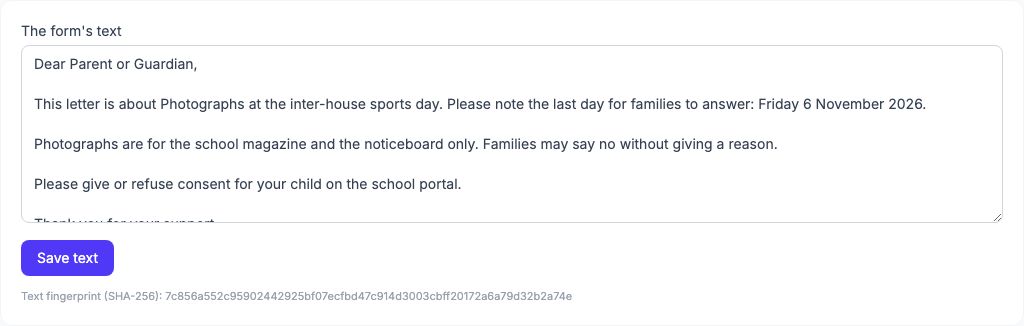
Press "Use" to copy the letter into the form's text below. Copying is not saving: read it, change any word, then press "Save text". The form is still a Draft; press "Publish" at the top when you are ready to send it to families. If you change the form's date after drafting, draft again, so the letter carries the new one.
A trip: the consent wording and the itinerary
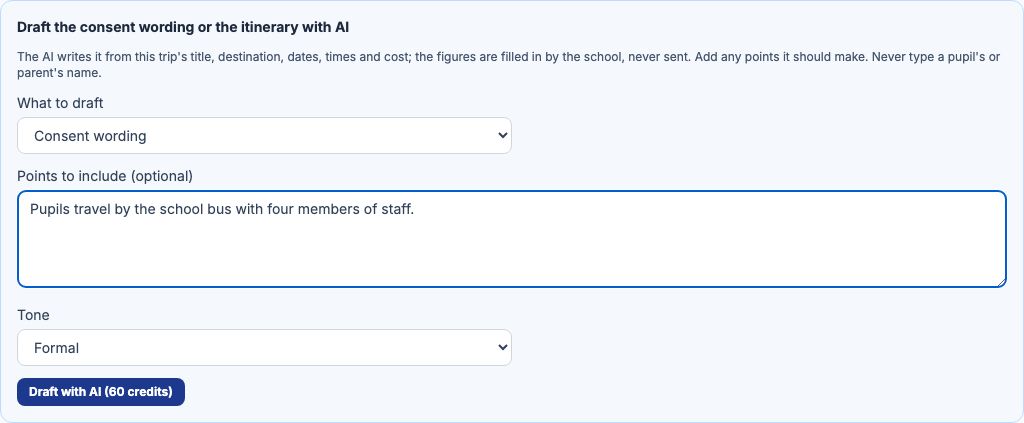
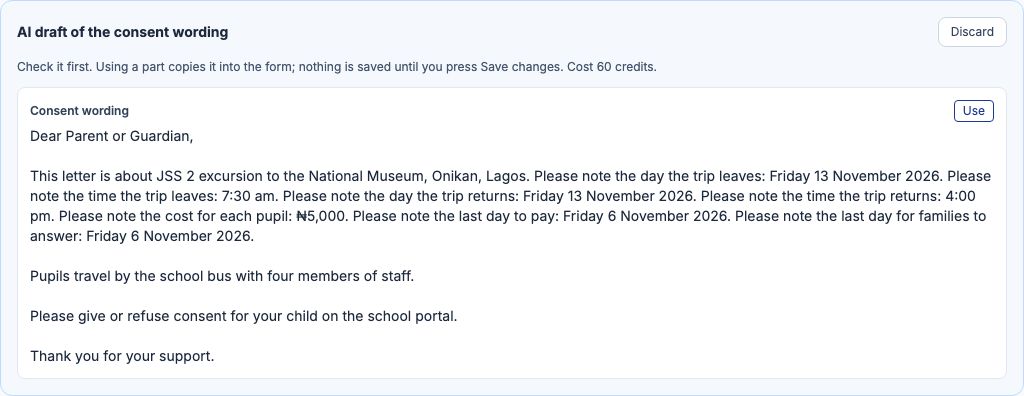
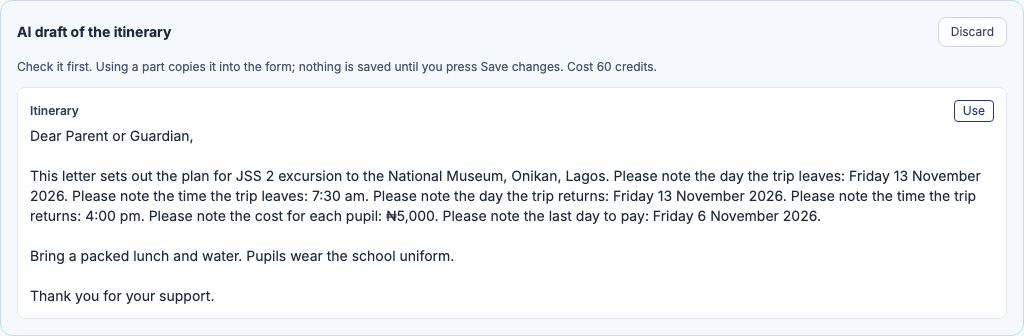
A trip has two texts, and on a draft trip the box "Draft the consent wording or the itinerary with AI" drafts either. JSS 2's excursion to the National Museum, Onikan, Lagos leaves on Friday 13 November at 7:30 am, returns at 4:00 pm and costs ₦5,000 a pupil, due by 6 November. Mrs Adebayo sets "What to draft" to "Consent wording", types Pupils travel by the school bus with four members of staff., and presses "Draft with AI". Then she sets it to "Itinerary" with Bring a packed lunch and water. Pupils wear the school uniform. The consent wording is offered only on a trip that asks families for consent. Each draft waits in its own box. "Use" copies it into the trip's form below; press "Save changes", then "Publish and give places" when the trip is ready.
Dates and costs are never sent to the AI
The trip's dates, times, cost, payment deadline and answer-by date stay in Tocademy. The AI is told only that, for example, the day the trip leaves goes in one place and the cost in another; when its answer comes back, Tocademy checks every stand-in is there and puts the real figures in from the trip. An answer with a figure of its own, or a missing one, is refused and not charged. The trip's title and destination are sent, so keep names of people out of them; your points are checked, and a name or phone number is refused with nothing charged.
Editing, drafting again and refusals
Draft again whenever you like: the new draft replaces the one waiting for that text, and is charged like any other; "Discard" throws one away for nothing more. A refusal always says why and ends "Nothing was charged.", for example "Your school has not switched this AI feature on." or "You do not have enough AI credits left for this." If the record was published or changed while the AI was writing, you see "This draft no longer matches the record. Draft again." and are not charged.
Cost, and My AI credits
Each draft costs the credits on the button, used or discarded, because the AI did the work; a refused or unfinished request is never charged. A trip's consent wording and itinerary are two drafts. My AI credits, under My Profile, lists every request with its cost and result, and "Open the draft" takes you to the record it was drafted for: the consent form, or the trip.
Still stuck?
Email info@tocel.ng and tell us which guide you were following.