AI Vacancy Adverts
Draft a job advert for a vacancy from its own details with AI; the number of posts and the closing date are filled in by the school, and the vacancy is posted only through its own approval.
What it does, and for whom
Whoever runs the school's recruitment can ask the AI to turn a draft vacancy into a job advert: the post, what the role involves and what the school is looking for, written from the vacancy's own title, department, designation, type, description and requirements. The advert never posts itself: you use it as the vacancy's description, change anything, and save the draft vacancy; it is then submitted, approved and posted exactly as every vacancy is.
Before you start
Your school has switched on Vacancy advert (Turning On AI Features), you hold credits that cover it, and you may manage recruitment; at Greenfield that is Mr Chinedu Eze. Open the vacancy from HR › Recruitment › Vacancies. Only a vacancy still in Draft takes an advert: once it is submitted its terms are fixed. The box headed "Draft the advert with AI" is above the vacancy's own edit form.
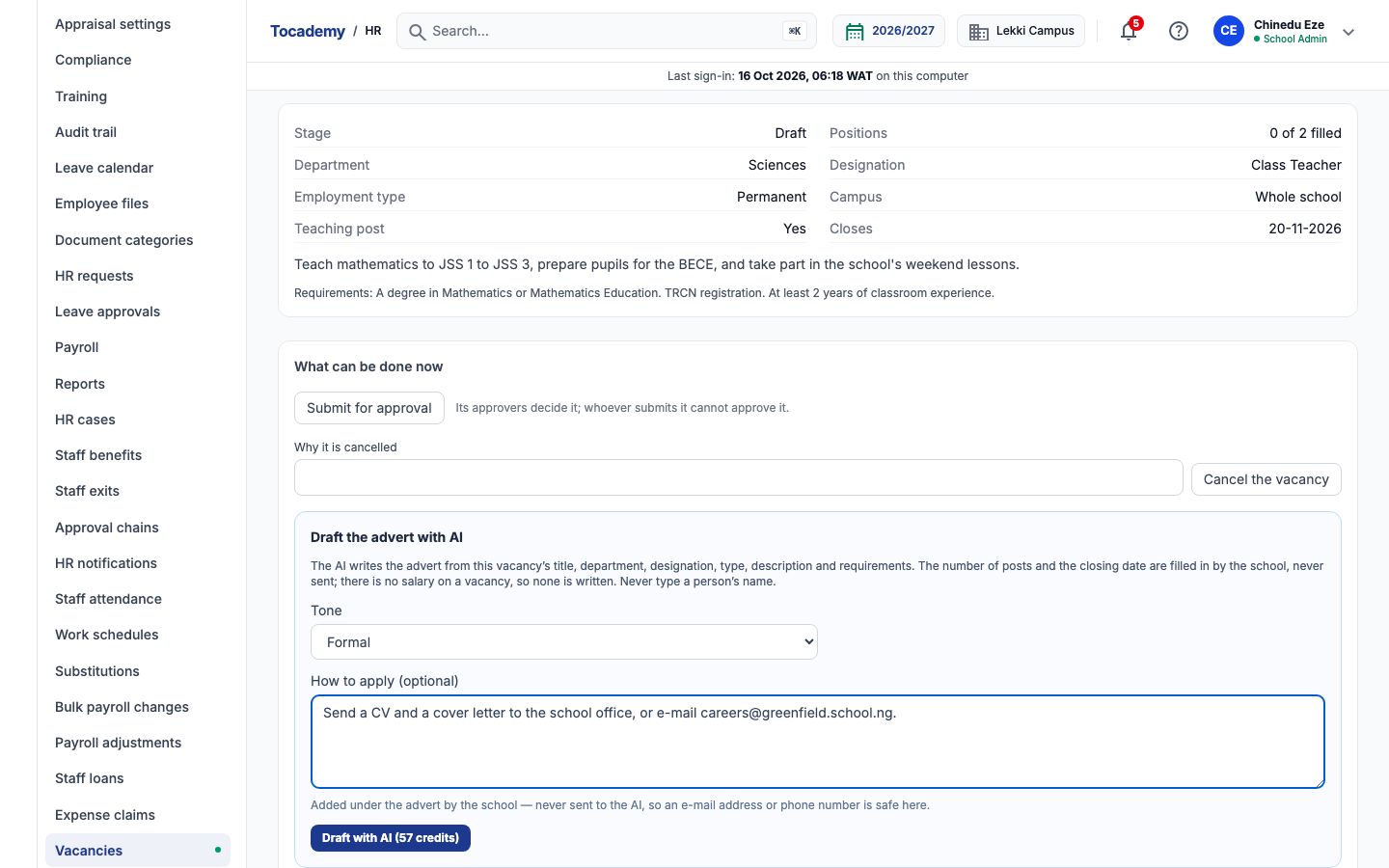
Worked example: two Mathematics teachers
Mr Eze opens the draft vacancy for a Mathematics Teacher (Junior Secondary): two posts in the Sciences department, closing on 20 November 2026. He leaves Tone on Formal and types how to apply: Send a CV and a cover letter to the school office, or e-mail careers@greenfield.school.ng. He presses "Draft with AI". The advert appears beside the form: the post, an opening that says there are 2 posts, the role, what the school is looking for, the closing date written out in full, and, under How to apply, what he typed.
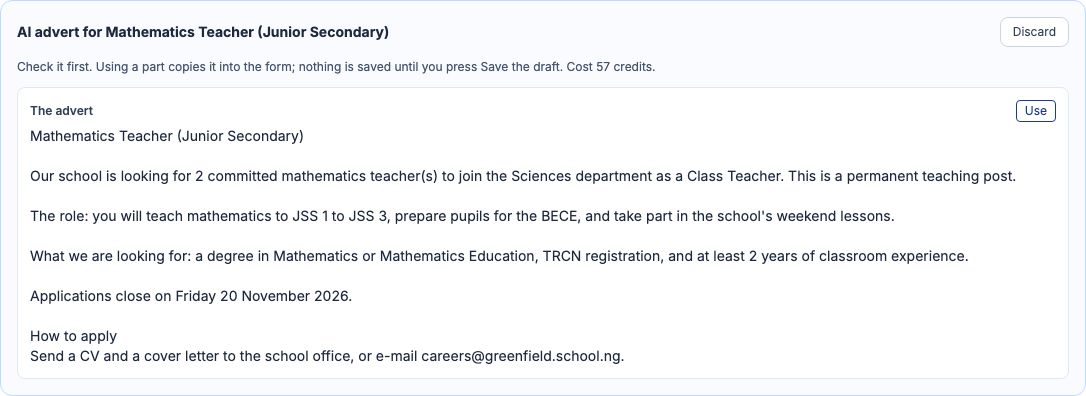
Use it, edit it, and save the draft vacancy
Press "Use" to put the advert into the vacancy's Description. Change anything, then press "Save the draft". The vacancy keeps its Draft stage: submit it for approval when you are ready, and post it once it is approved. If you change the title, the number of posts, the closing date or the type before saving, the advert no longer describes the post and Save refuses it: draft it again.
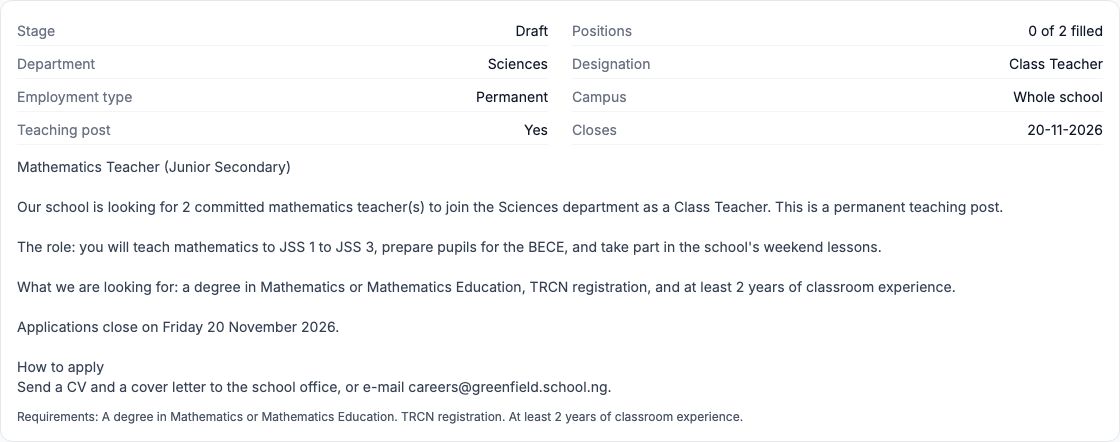
What is sent to the AI, and what never is
Only the vacancy's own details: its title, department, designation, employment type, whether it is a teaching post, and the description and requirements written on it, all checked before they leave. The number of posts and the closing date are sent as stand-ins such as [DATE_1], never as figures, and the school writes the real values in afterwards, so the advert cannot get them wrong. How to apply is never sent, so an e-mail address or phone number is safe there. A vacancy carries no salary, so none is sent and the advert writes none. No person is part of it.
When the AI says no
A refusal says why and ends "Nothing was charged." A vacancy that is no longer a draft takes no advert. A description or requirements that name a person are refused before anything is spent. An advert that writes a date, an amount or a contact detail of its own is refused as an unusable answer. If someone edits the vacancy while the AI is drafting, the draft is refused because the post changed under it; draft it again.
Cost, and My AI credits
Each advert costs the credits on the button, 57 at Greenfield, whether you save it, change it or discard it; a refused or unfinished request is never charged. My AI credits lists every request: an advert you saved says Draft used, one still waiting says Saved as a draft with an Open the draft link back to the vacancy.
Still stuck?
Email info@tocel.ng and tell us which guide you were following.