AI Question Tagging
Let the AI suggest a topic from your own topic list, and a difficulty, for up to 20 questions at a time; you apply each one yourself.
What it does, and for whom
Questions that arrive in a batch, from an import or from several teachers, are often filed under one broad topic, so the bank cannot find them by topic and exams cannot be built from them by topic. AI question tagging reads up to 20 questions of one subject and suggests, for each, a topic or subtopic from your school's own topic list and a difficulty of Easy, Medium or Hard. It is for whoever keeps the bank tidy: a head of department reviewing the questions waiting for review, or a teacher after an import. The AI only suggests. Each suggestion reaches a question only when you apply that row yourself, and there is no button that applies them all.
Before you start
Your school has switched on Question tagging, you hold credits that cover it, and you may edit the question bank. The subject needs its topics: the AI may only choose from the topics and subtopics listed for the subject under Academic Setup, so add the ones you teach first. Open Exams in the sidebar and click Question Bank, choose Pending Review under Status and choose the subject, then tick the questions to review, up to 20. After an import, the import report has a "Show the drafts" link that opens the questions it added.
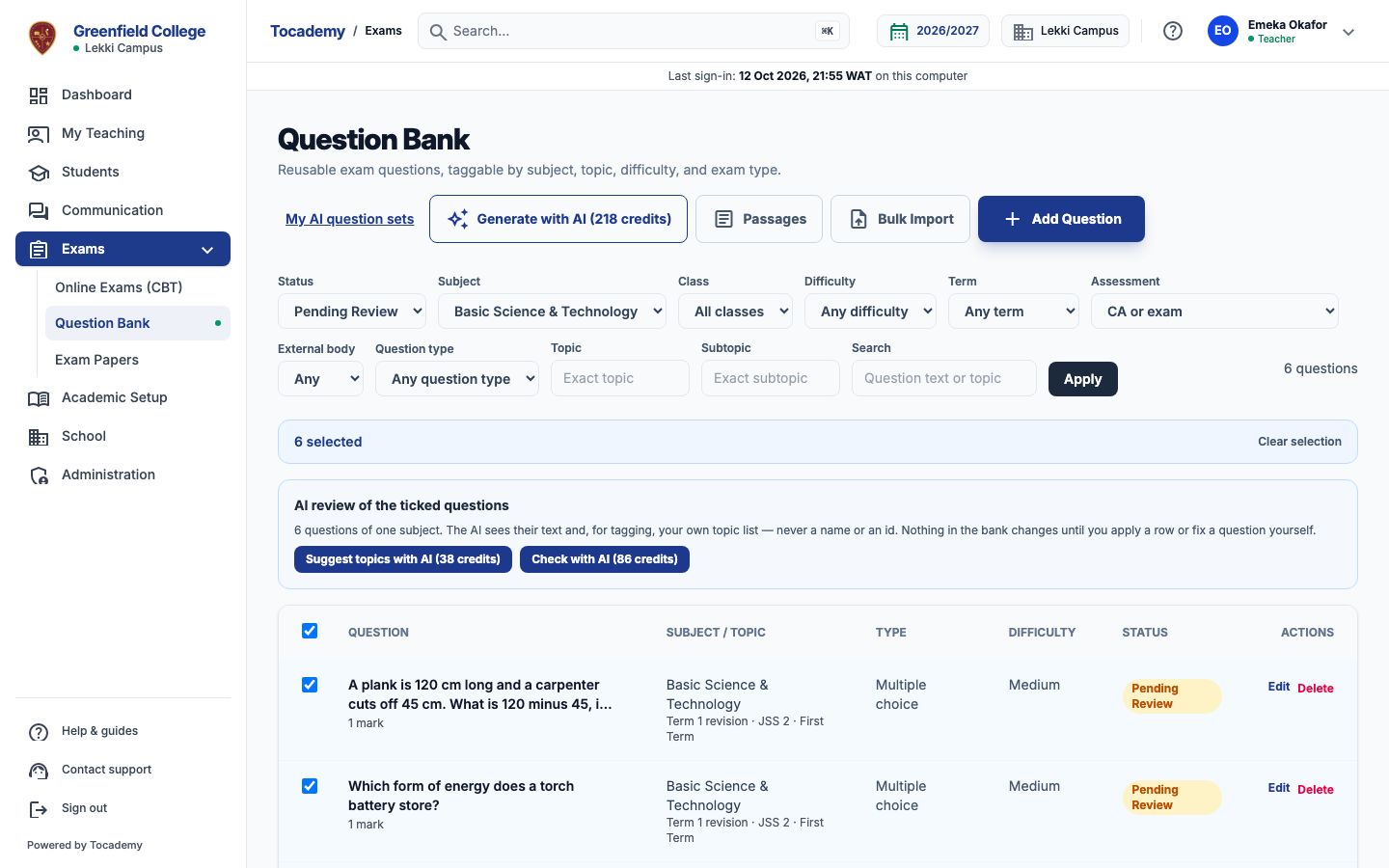
Worked example: six imported Basic Science questions
Mr Emeka Okafor has six JSS 2 Basic Science & Technology questions waiting for review, all imported under the broad topic Term 1 revision. He ticks all six. Then he presses "Suggest topics with AI", which carries the price, 38 credits at Greenfield. The suggestions appear above the list: for each question, its topic and difficulty now, and what the AI suggests. The battery question goes to Energy and its subtopic Forms of energy, the filtration question to Matter and Separation of mixtures, and the heart question to Human body. For the plank question, a sum about measuring, no topic in the list fits, so the AI says so and the topic is kept; its difficulty, Medium, is what the question already has, so that row reads "Already tagged so — nothing to apply" and needs no press.
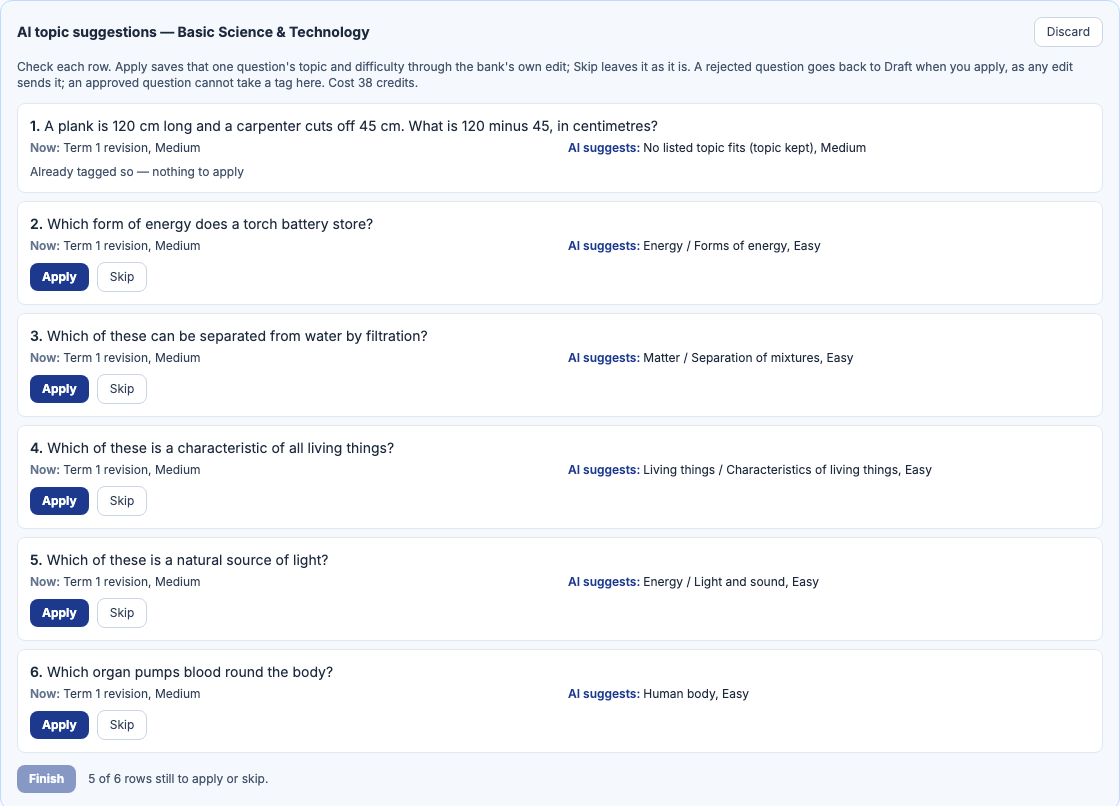
Apply or skip each row
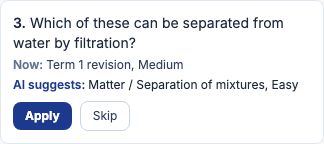
Read each row. Press "Apply" to save that one question's topic, subtopic and difficulty, or "Skip" to leave it as it is; "Undo" brings a skipped row back. Applying is the bank's own edit: only the topic, subtopic and difficulty change, and the question's wording, options, answer, marks and classes are saved exactly as they were. A question waiting for review stays waiting for review. A rejected question goes back to Draft when you apply, as any edit sends it, and an approved question cannot be tagged here at all, because changing it would send it back for review, unless your school keeps a question approved when only its topic or difficulty changes (When an approved question is edited, on the Question sourcing defaults page): then an approved question can be tagged, stays approved when you apply, and each apply is recorded with your name. Tocademy keeps its own record of the rows you applied, so they still read Applied after a reload or on another page of the bank. A row whose question already has the suggested topic and difficulty reads "Already tagged so — nothing to apply". If someone edits a question in the bank after the AI made its suggestion, its row reads "Changed in the bank since — not applied" and is never applied over their edit.

On a phone
The same rows stack on a phone, the suggestion under the question's tags now, with the two buttons below. Apply works one row at a time there too.
Finish
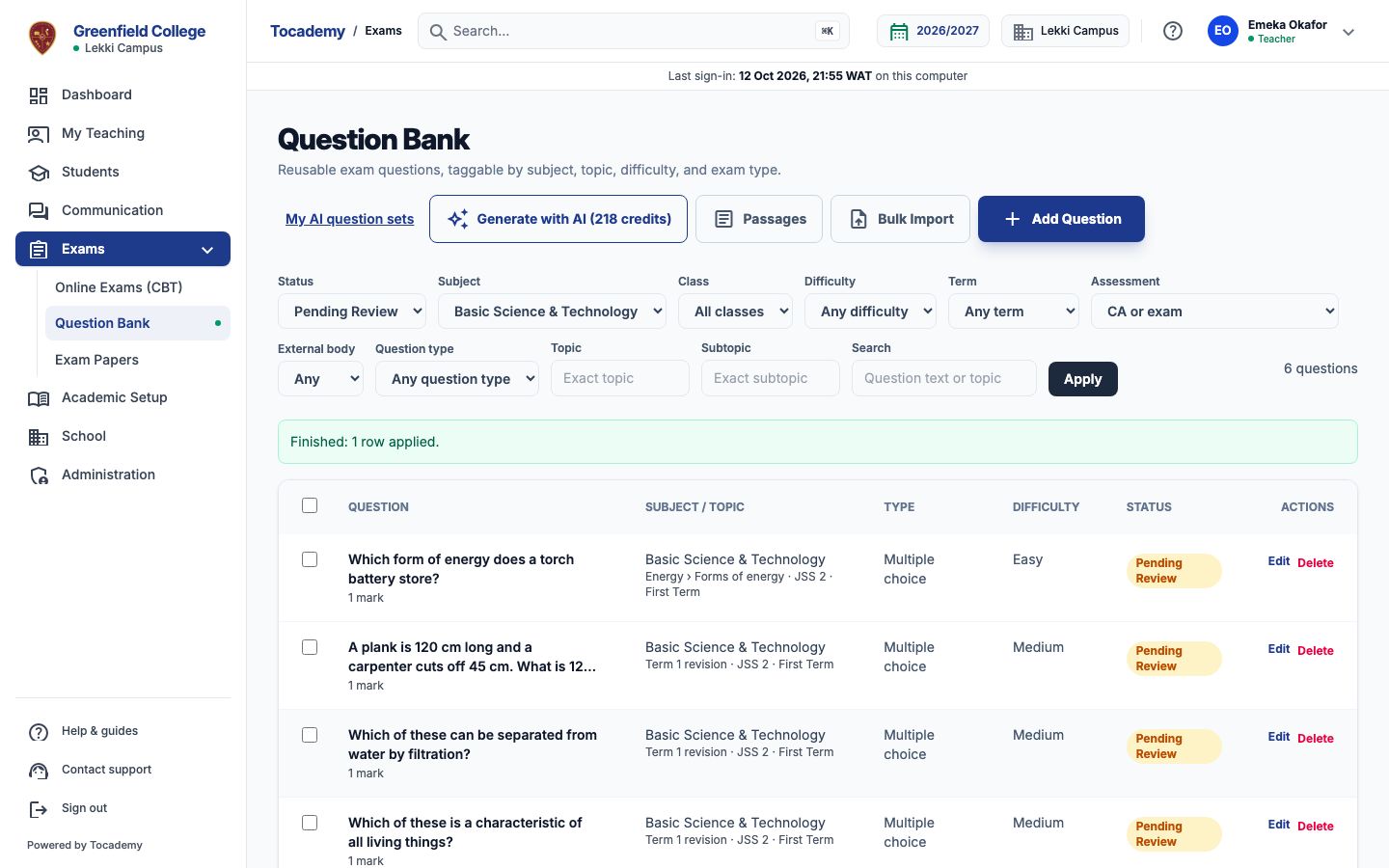
Once every row is applied or skipped, press "Finish". It records which suggestions you applied, from Tocademy's own record of each apply, so your school can see how useful the AI was, and closes the suggestions. If you applied none, they are discarded instead. "Discard" closes them at any time without applying anything more; rows already applied stay applied.
What is sent to the AI, and what never is
Only the subject's name, your topic list written as short codes such as T1 Energy and T1.1 Forms of energy, and each question's text, with the parts of a structured question after it, cut to its first 110 characters. No id of any question, topic or school record is sent, and nothing about pupils or staff. The questions are checked before they leave, and one with a pupil's name or a phone number in it is refused with "Remove the personal details and try again. They are never sent to an AI provider." and nothing is charged. An answer that names a code that is not in your list is refused and not charged.
Cost, and My AI credits
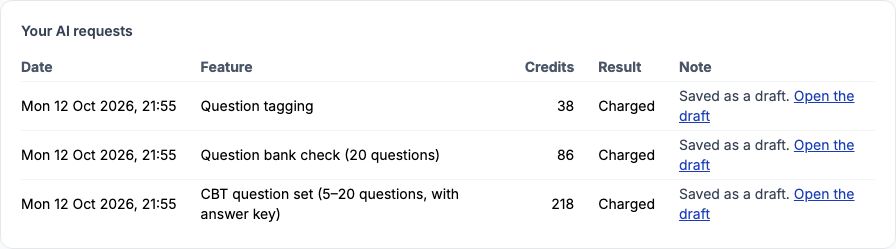
Each request costs the credits on the button, whatever you then apply; a refused or unfinished request is never charged. Asking again while suggestions are waiting replaces them. A refusal always says why and ends "Nothing was charged.", for example "Your school has not switched this AI feature on." My AI credits, under My Profile, lists every request with its cost, and "Open the draft" goes back to the question bank.
Still stuck?
Email info@tocel.ng and tell us which guide you were following.