AI Dashboard Narratives
Let the AI write the paragraph that opens your Analytics overview for the term, from the school's own figures; you accept it to keep it.
What it does, and for whom
The Analytics overview puts the whole term on one page: results, how far they have got through approval, attendance and fees. The AI can read the school-wide figures behind it and write the narrative a principal would otherwise draft for the board or the proprietor: at most 300 words on how results stand, which subjects are strongest and which need attention, girls against boys, and attendance. It works at school level only: it never names a class arm or a pupil. Every number in it is one of the school's figures, and nothing changes until you accept it.
Before you start
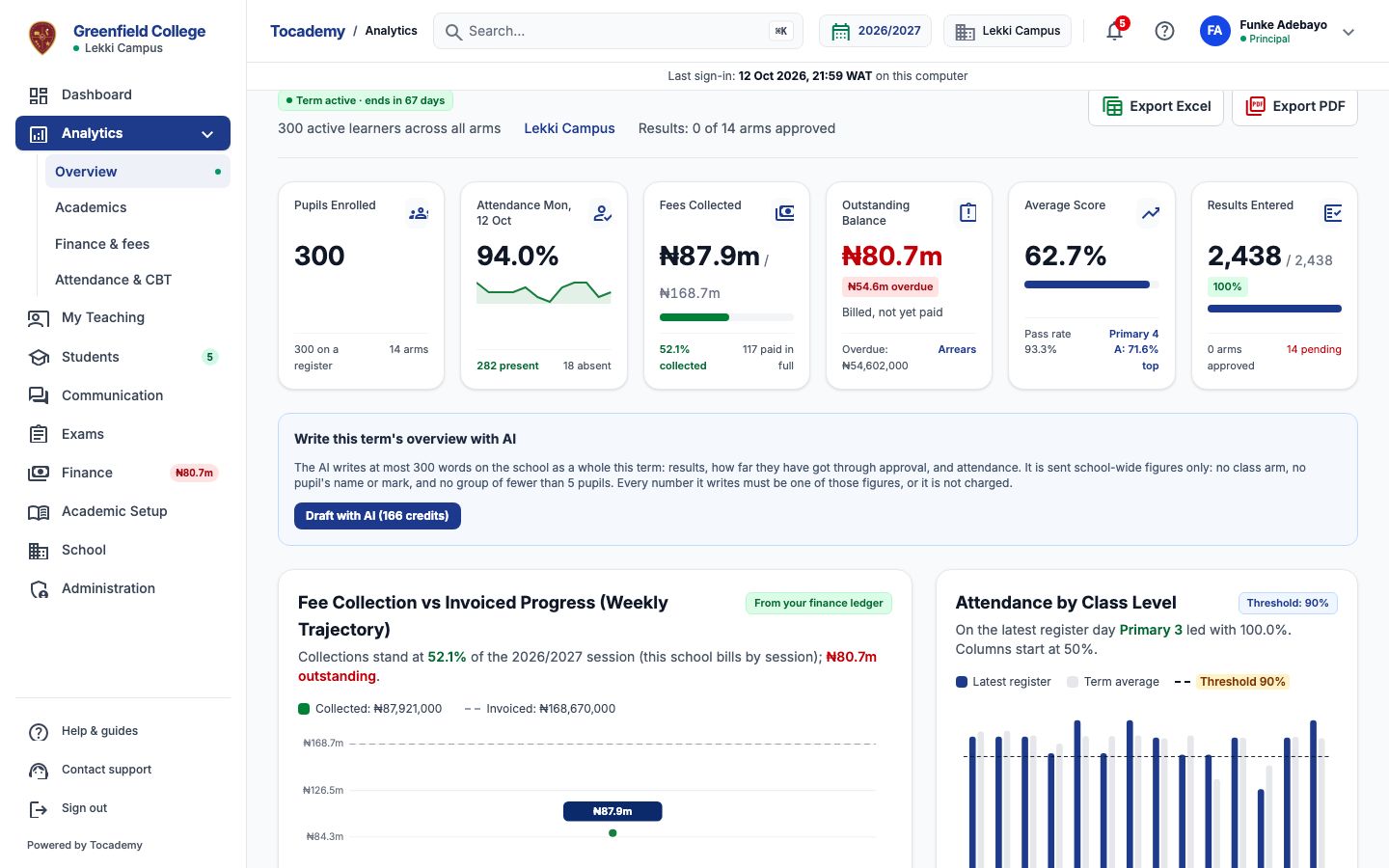
Your school has switched on Dashboard narrative, you hold credits that cover it, and your role may see both the broadsheet and the attendance report, as a principal, school administrator or campus administrator may. Open Analytics in the sidebar; the overview opens on the current term. Under the headline tiles is the box "Write this term's overview with AI", and its button carries the price, 166 credits at Greenfield.
Worked example: Greenfield's First Term overview
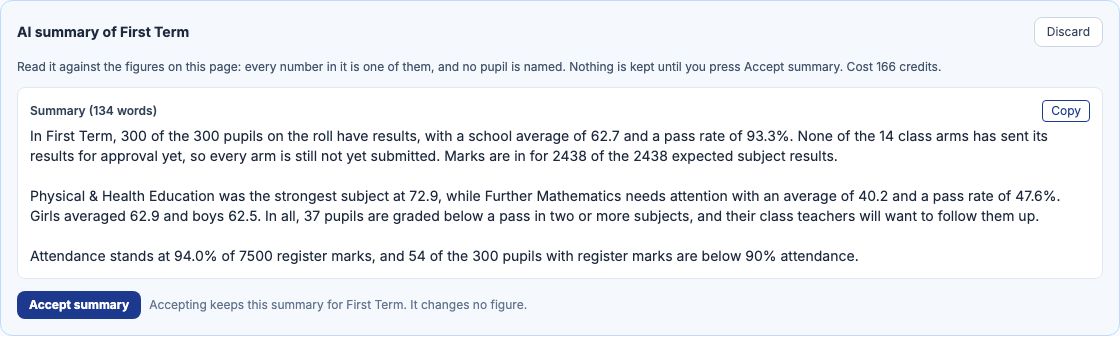
On the Analytics overview for First Term, Mrs Adebayo presses "Draft with AI". The draft arrives in three short paragraphs. Results: 300 of the 300 pupils on the roll have results, with a school average of 62.7 and a pass rate of 93.3%; none of the 14 class arms has sent its results for approval yet, and marks are in for 2438 of the 2438 expected subject results. Subjects: Physical & Health Education is the strongest at 72.9 and Further Mathematics needs attention at 40.2, girls average 62.9 and boys 62.5, and 37 pupils are graded below a pass in two or more subjects. Attendance: 94.0% of 7500 register marks, with 54 of the 300 pupils below 90% attendance. Every number is one the overview's figures hold.
Accept it, or try again
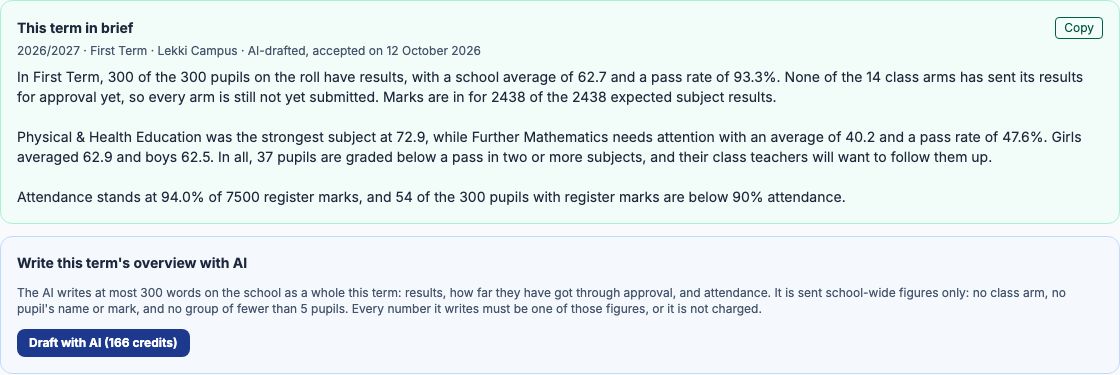
Press "Accept summary" to keep the narrative exactly as written: it then opens the overview as "This term in brief" for that term and campus, with the day you accepted it, and "Copy" puts it on your clipboard. "Regenerate with AI" drafts again and replaces the waiting draft, charged again; "Discard" closes it and keeps nothing. Choosing another term shows that term's kept narrative, if you accepted one; a draft waiting for another term or campus is accepted on that term and campus, not here.
On a phone
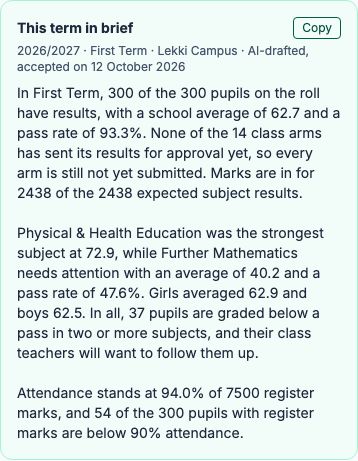
The kept narrative reads as one block under the tiles on a phone, with its "Copy" button.
What is sent to the AI, and what never is
Only the term's name and the school's own totals: pupils on the roll and with results, the school average and pass rate, how many class arms are published, approved, submitted or not yet submitted, marks entered against expected, how many pupils are graded below a pass in two or more subjects, each subject's average and pass rate, girls' and boys' averages, and the term's attendance. No class arm, no pupil's name, admission number or mark, and no group of fewer than 5 pupils is sent: a count of one to four pupils is sent as "fewer than 5", and beside a small subject the next-smallest is held back too, so it cannot be worked out from the school's totals. Fees are not sent. An answer with a number that is not one of these figures is refused and not charged.
When the AI says no, and what it costs
A refusal always says why and ends "Nothing was charged.", for example "You have no AI credits for this feature. Ask your school's administrator for some." or "The AI did not produce a usable answer. Try again." Each draft costs the credits on the button, whether you accept it or not; a refused or unfinished request is never charged. My AI credits, under My Profile, lists every request with its cost, and "Open the draft" goes back to the Analytics overview.

Still stuck?
Email info@tocel.ng and tell us which guide you were following.