AI Suggested Marks: Short Answers
On the CBT marking page, let the AI suggest a mark and a one-line reason for a pupil's short theory answer; you decide the mark and save it yourself.
What it does, and for whom
Theory answers on a CBT exam are marked by a teacher. For a short answer the AI can suggest a mark, from 0 to the question's marks in whole or half marks, and say in one sentence why, against the marking guide or the model answer. A suggestion is never a mark: it only fills the mark box when you choose, and nothing is saved until you press the save button. You are always the marker of record, and the answer's marking history shows when a mark was taken from a suggestion. Essays and letters take the essay suggestion (AI Suggested Marks: Essays and Letters); Tocademy decides which from the answer's length and the question's marks, so the price on the button is the price charged. Your school sets where that line falls, under AI mark suggestions: short answers and essays on the AI credits page: by default a short answer is one of at most 900 characters to a question worth at most 10 marks.
Before you start
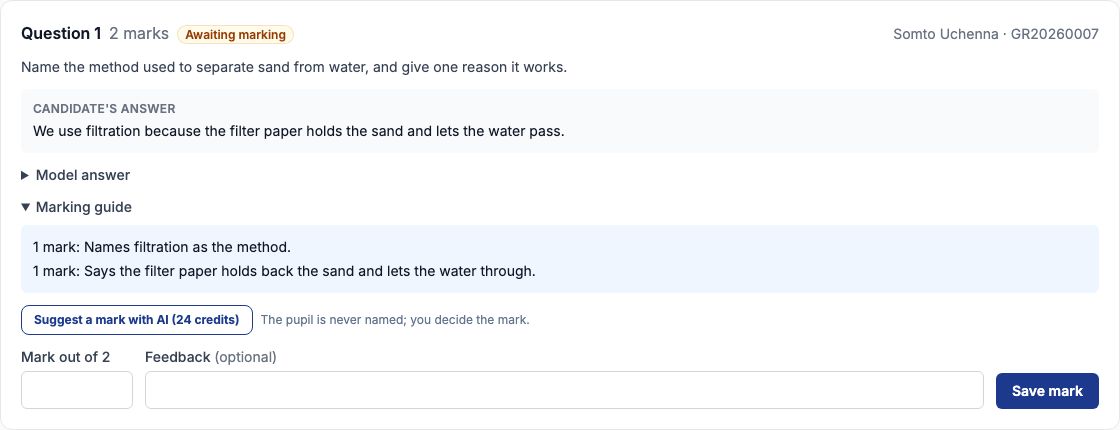
Your school has switched the feature on and acknowledged what it sends (Turning On AI Features): it is off until the school chooses it. You hold credits that cover it, and you may mark the script: you teach the subject in the pupil's class, or you are school leadership on the pupil's campus. Open Exams, click Online Exams (CBT), open the exam and its marking page. Each theory answer awaiting marking shows "Suggest a mark with AI" with its price, 24 credits at Greenfield, under its marking guide.
Worked example: JSS 2 A Basic Science
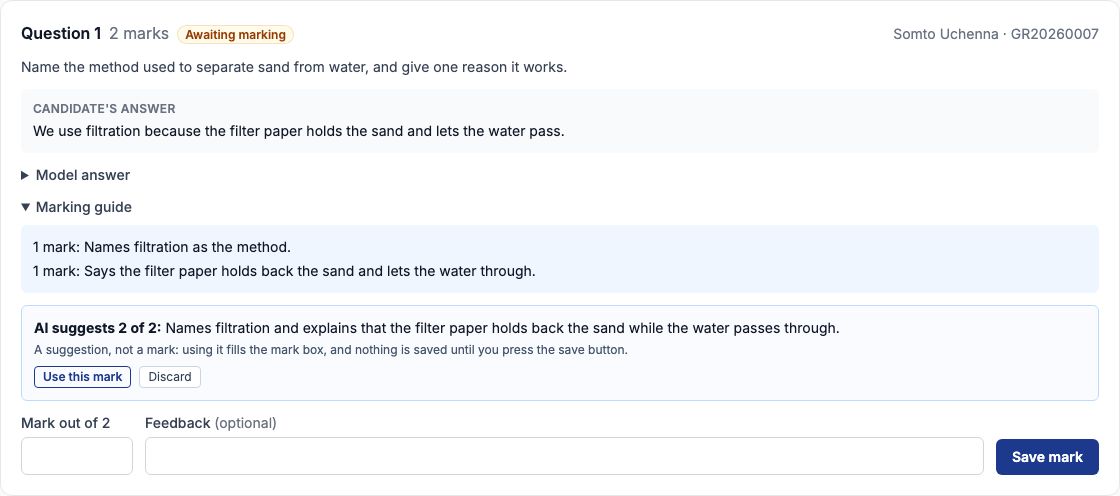
Mr Emeka Okafor marks JSS 2 A's Basic Science theory test. The first question asks for the method that separates sand from water and one reason it works, 2 marks. Somto answered: We use filtration because the filter paper holds the sand and lets the water pass. Mr Okafor presses "Suggest a mark with AI". The suggestion appears beside the answer: AI suggests 2 of 2: Names filtration and explains that the filter paper holds back the sand while the water passes through.
Use it, change it, or discard it
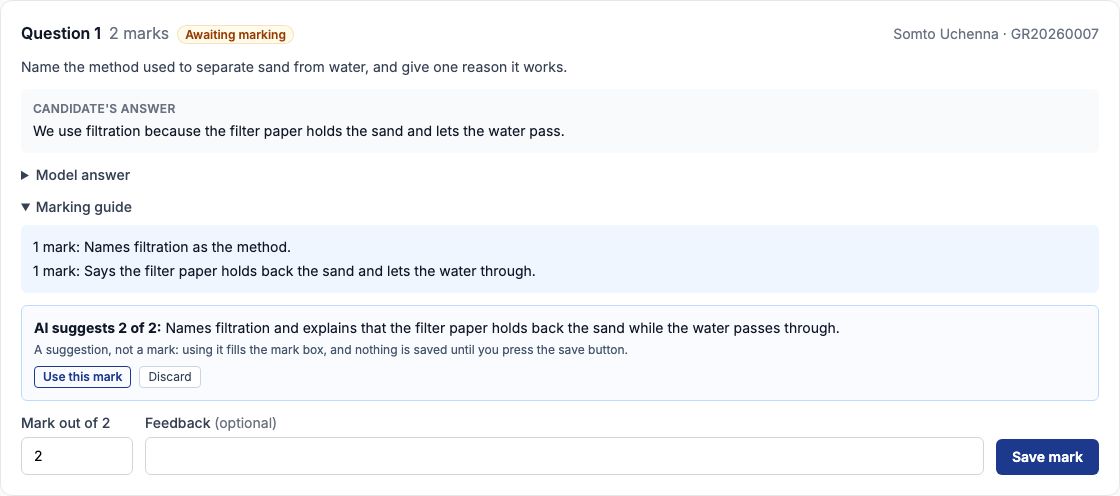
Press "Use this mark" and the suggested mark goes into the mark box; nothing is saved yet. Change it if you disagree, add feedback, and press "Save mark" ("Change mark" for an answer already marked). Press "Discard" to close the suggestion; asking again replaces a waiting suggestion and is charged again.
The history shows the suggestion
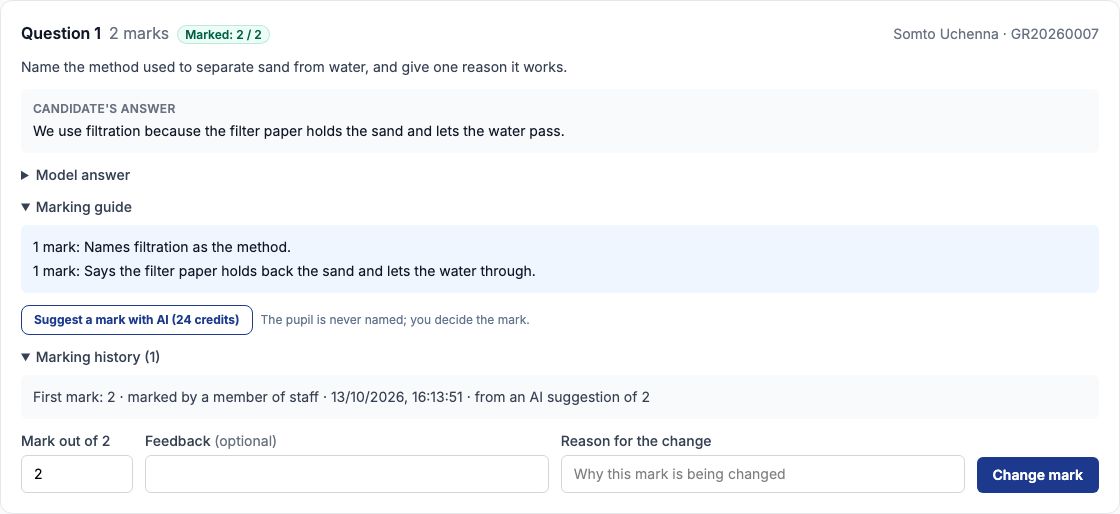
Once saved, the answer is Marked: 2 / 2, and its Marking history says who marked it and when, and that the mark was taken from an AI suggestion of 2. When you change the suggested mark before saving, the history shows both your mark and the suggestion's.
An answer that names someone is never sent
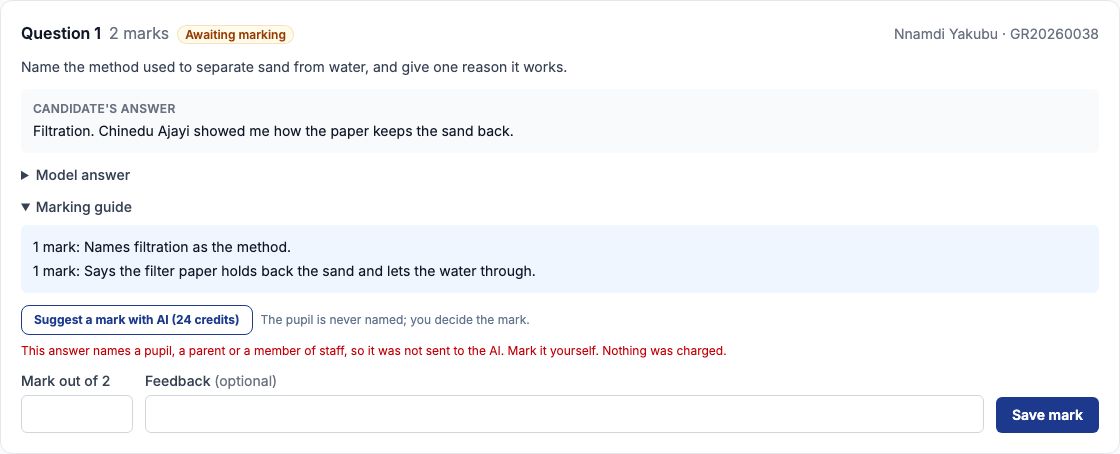
Before anything is sent, the pupil's answer is checked against your school's list of pupils, parents and staff. One pupil wrote a classmate's name in their answer; the page says the answer names a pupil, a parent or a member of staff, so it was not sent to the AI, and to mark it yourself. Nothing was charged.
On a phone
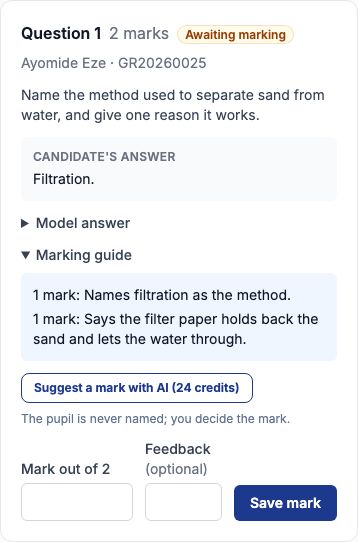
On a phone the answer, its marking guide, the button and the mark box stack down the screen.
What is sent to the AI, and what never is
Only the question as it was set (with its parts), its marks, its model answer, its marking guide, and this one answer. The pupil's name, admission number and any other detail that identifies them are never sent, and an answer that names anyone is refused before it leaves Tocademy. A blank answer takes no suggestion: award 0 yourself. Entrance exams take no suggestions at all. A suggested mark outside the question's marks is refused and never charged.
When the AI says no, and what it costs
A refusal always says why, for example when the answer changed after you asked, or when your credits do not cover it; a refused or unfinished request is never charged. Each suggestion costs the credits on its button, whether you use it or not. My AI credits, under My Profile, lists every request with its cost.
Still stuck?
Email info@tocel.ng and tell us which guide you were following.