AI Principal's Remarks
Let the AI draft the principal's comment on a report card, summing up the pupil's whole term from the figures Tocademy works out; you edit it and use it.
What it does, and for whom
Every report card has a Principal's Comment beside the Class Teacher's Comment. The class teacher writes about subjects; the principal speaks for the whole term. The AI can draft that comment: two sentences, at most 50 words, summing up the term from the pupil's average and attendance and giving one aim for next term. It never mentions class position, rank or promotion. Nothing reaches the report card until you use the draft, and you can edit it first. Only school leadership, a principal, school administrator or campus administrator, may draft the principal's comment.
Before you start
The principal's comment is an AI feature of its own, Principal's remark, with its own price, separate from the class teacher's Report card remark. Your school has switched on Principal's remark, with its notice about pupils' data acknowledged (Turning On AI Features), you hold credits that cover it, and the platform has switched on its prompt; until then the panel says it is not available yet and nothing is charged. Open a campus's gradebook, choose the class arm and term, and open the Report Cards tab. Press "Edit Remarks" on a pupil: under the Principal's Comment is a note box and the button "Draft principal's comment with AI" with its price, 15 credits at Greenfield.
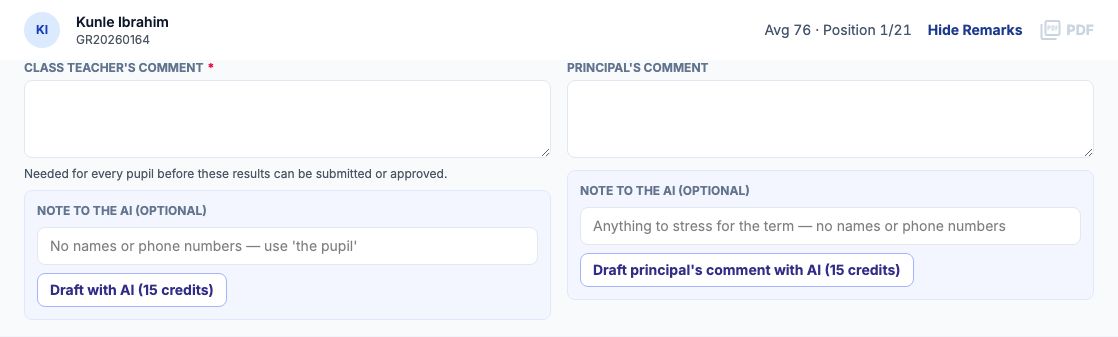
Worked example: Kunle Ibrahim, JSS 2 A
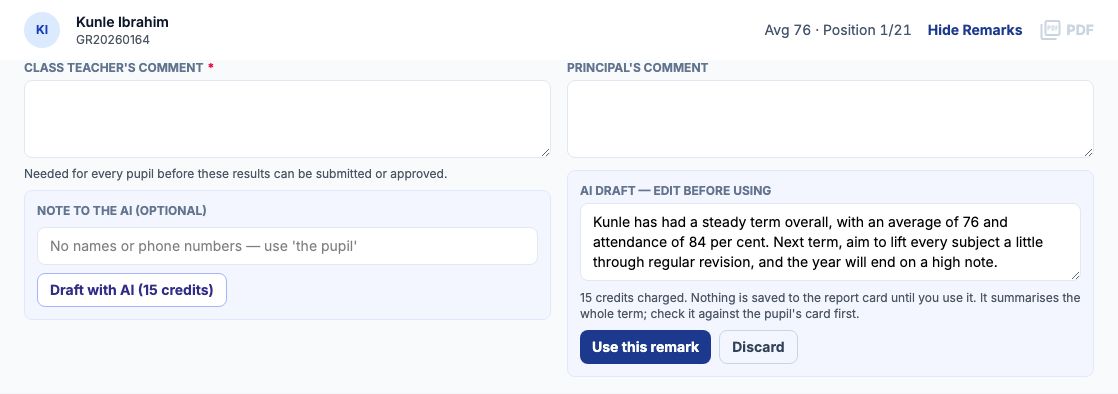
Mrs Funke Adebayo, Greenfield's principal, opens Kunle Ibrahim's remarks, types a short note and presses "Draft principal's comment with AI". The draft appears under the Principal's Comment: Kunle has had a steady term overall, with an average of 76 and attendance of 84 per cent. Next term, aim to lift every subject a little through regular revision, and the year will end on a high note. The average and attendance are the figures Tocademy works out from his report card, not the AI's. The panel shows what it cost.
Use it, edit it, or discard it
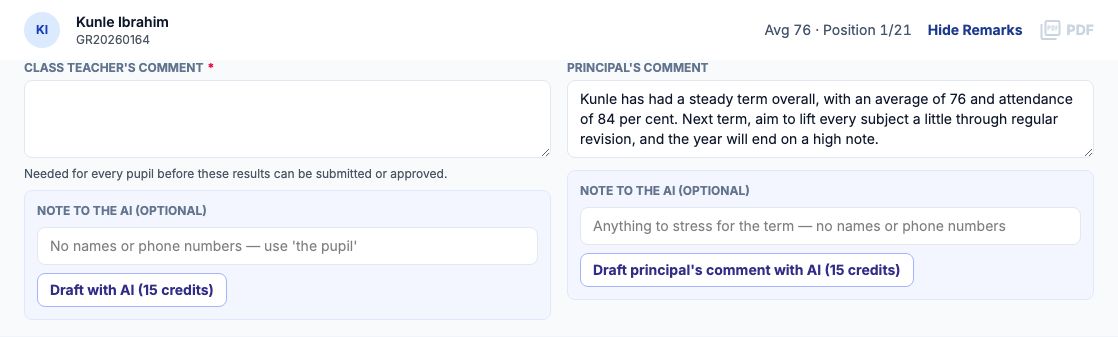
Edit the draft in its box if you want, then press "Use this remark": the text goes into the Principal's Comment and is saved as your comment, exactly as if you had typed it. Press "Discard" to throw the draft away; the comment stays as it was. Drafting again replaces a waiting draft and is charged again. Approving the results does not stop you: a principal may add the comment after approval. Once results are published, no new comment can be drafted with AI.
On a phone
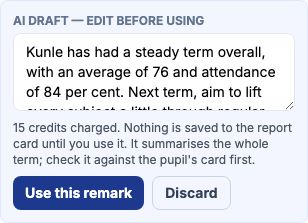
On a phone the two comments stack, the principal's under the class teacher's, and the draft keeps its "Use this remark" and "Discard" buttons.
What is sent to the AI, and what never is
The pupil is sent only as [STUDENT_1], never by name, admission number or id. With it go the class level, each scored subject's total, the term's average and last term's, and the attendance percentage, all worked out by Tocademy from the report card. The principal's comment has its own prompt, so nothing says whose comment it is: the request is the principal's by the feature it goes to. Your note is checked first: a name, phone number or other personal detail in it is refused before anything is charged. A draft with a number that is not one of these figures, or that mentions position, rank or promotion, is refused and not charged. The class teacher's drafts are separate: a class teacher never sees or uses the principal's.
When the AI says no, and what it costs
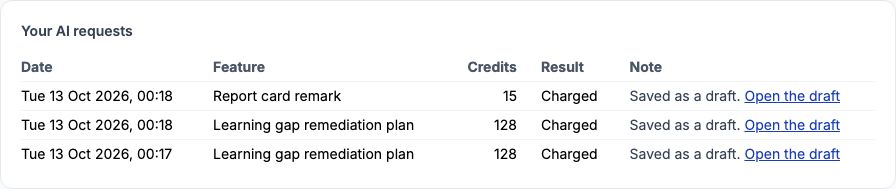
A refusal always says why and ends "Nothing was charged.", for example "AI drafting of the principal's comment is not available yet" or "Your school has not switched on AI remarks." Each draft costs the credits on the button, whether you use it or not; a refused or unfinished request is never charged. My AI credits, under My Profile, lists every request with its cost.
Still stuck?
Email info@tocel.ng and tell us which guide you were following.