AI Practice-Question Explanations
Before you release a question to practice, let the AI draft why its stored answer is right; you check it and save it as the question's explanation.
What it does, and for whom
A question's explanation says why its answer is right. Pupils read it when they review a practice exam after submitting it, and it helps whoever marks or revises from the bank. Many questions have none. On the practice pool, a teacher can ask the AI to draft one for a question before releasing it. The AI is given the question, its options and the answer stored in the bank, and explains that answer: it never chooses the answer itself. It must also say which option its explanation supports, and a draft that supports any other option is refused and not charged. Nothing is saved until you save it.
Before you start
Your school has switched on Practice-question explanation, you hold credits that cover it, and you may both release questions to practice and edit the question bank. Open Communication in the sidebar and click Practice Pool, choose the subject and press "Show". Under Release approved questions each question says whether it has an explanation yet, and has an "Add explanation" or "Edit explanation" link beside it.

Worked example: the sand-and-water question
Mr Emeka Okafor's question Which method is best for separating sand from water? has four options and the stored answer B, Filtration, but no explanation. He follows the "Add explanation" link. The question opens with its options, the stored answer marked, and the box "Draft the explanation with AI", whose button carries the price, 27 credits at Greenfield. He presses "Draft with AI".
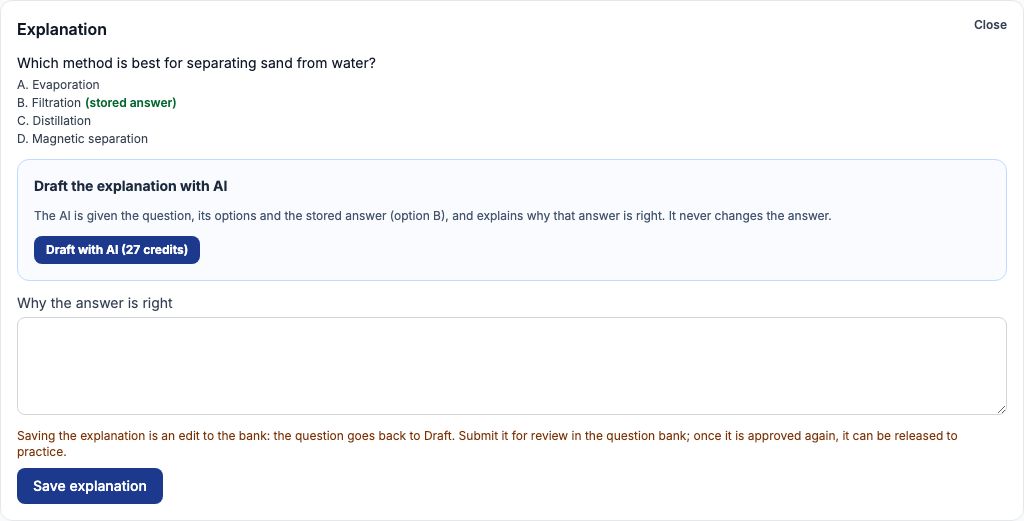
The draft names the stored answer
The draft appears as "AI explanation". It begins with option B, says why filtration is right, and why each of the other options is wrong. Tocademy checks every draft before you see it: the AI must return the stored answer, its explanation must name that answer and never call another option the answer, and it is at most 120 words; a draft that breaks a rule is refused and nothing is charged. If the AI finds the stored answer wrong, its draft opens by telling you to check the key, and says why: check it before you use the draft or release the question.
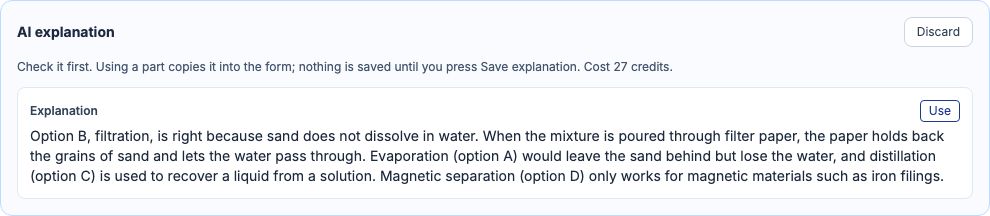
Use it, then save the explanation
Press "Use" to copy the draft into the field "Why the answer is right". Copying is not saving: read it, change any word, then press "Save explanation". The note above the button says what saving does.
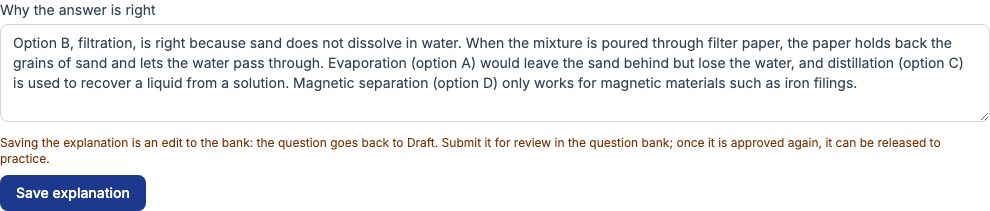
Saving returns the question to Draft
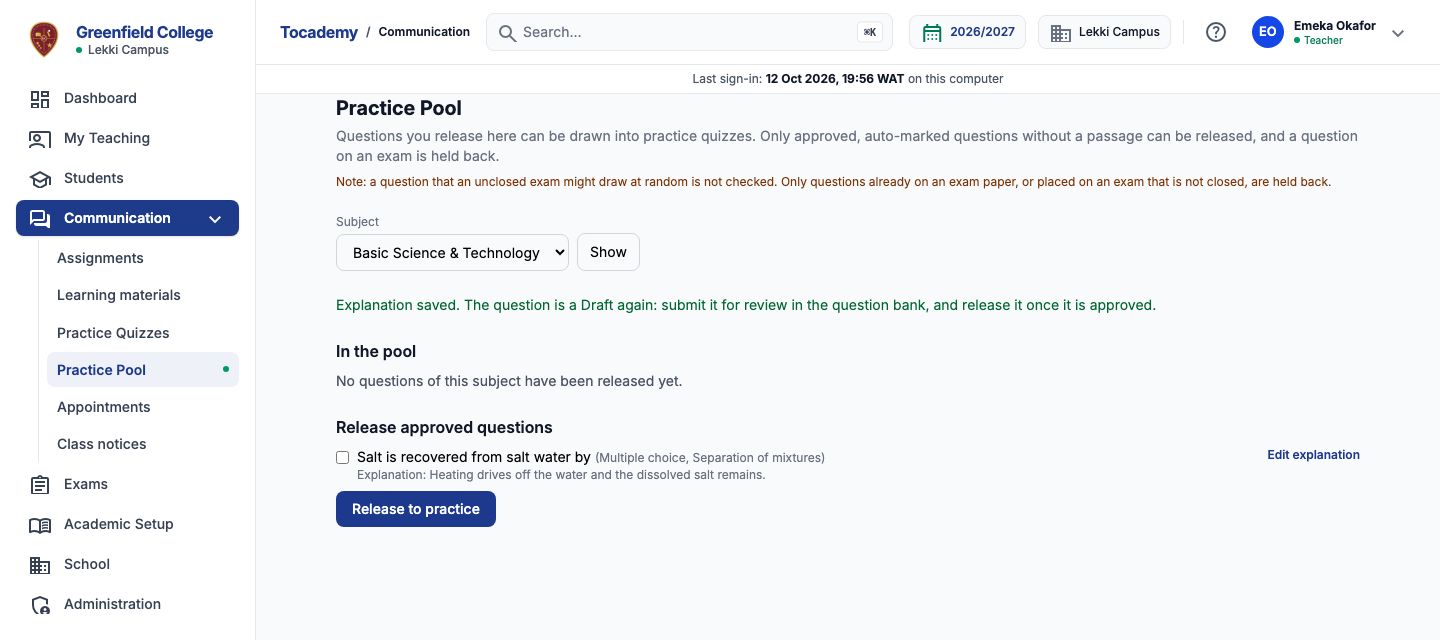
Saving is an edit to the question bank, and every edit to an approved question returns it to Draft, so a changed answer key or explanation is always checked again before pupils meet it. Only the explanation changes: the question, its options, its answer, its classes and its marks are saved exactly as they were. Saving does not put the question in front of a reviewer: open the question bank and submit it for review, as you would any draft. The question leaves the release list until it is approved again; then it comes back, with its explanation, ready to release. A school can choose otherwise: when When an approved question is edited, on the Question sourcing defaults page, says to keep a question approved when only its explanation changes, saving keeps it approved and ready to release, the note above the button says so, and the change is recorded with your name and whether it came from the AI.
What is sent to the AI, and what never is
Only the question's text, its options and the letter of the stored answer. Nothing about pupils, staff or your school's records is sent. The question and its options are checked before they leave, and one with a pupil's name or a phone number in it is refused with "Remove the personal details and try again. They are never sent to an AI provider." and nothing is charged. A question asked about a passage, or one with more than one correct option, cannot have its explanation drafted with AI.
Cost, and My AI credits
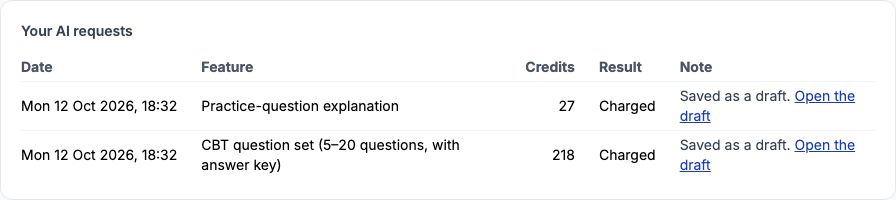
Each draft costs the credits on the button, used or discarded; a refused or unfinished request is never charged. A refusal always says why and ends "Nothing was charged.", for example "Your school has not switched this AI feature on." or "The AI did not produce a usable answer. Try again." My AI credits, under My Profile, lists every request with its cost, and "Open the draft" goes back to the practice pool.
Still stuck?
Email info@tocel.ng and tell us which guide you were following.